Rent Anything From Your Neighbors
Browse local rentals — tools, cameras, party supplies, beach gear and more
Featured Rental Listings
Featured Buy Now Listings
Browse by Category
Why MyVicino?
Local & Convenient
Borrow from neighbors in your community — no shipping, no waiting.
Secure Bookings
Your Secure Booking payment is held safely and credited toward your rental total.
Trusted Reviews
Read real reviews from renters and owners before you book.
Damage Protection
Items are protected by an Incidentals Hold at pickup — a temporary card authorization, not a charge.
My Listings
My Rentals Out 0
Bookings where your items have been rented by others. Click any card for the full booking detail.
View calendar →My Sales 0
Items you've sold. Click any sale to manage shipping and handoff.
Loading…
My Rentals
Booking Requests
My Purchases
My Sales
🛒 Your Cart
Checkout
♥ Your Wish List
♡
Your wish list is empty
Tap the heart on items you love to save them for later!
Account Management
Owner Services
Configure available hours, delivery, set-up, and pick-up services for your item rental listings. These act as defaults — you can override them per item when listing or editing.
Pay & Activity
My Shop
Customize how renters see your shop page
Vacation Mode
Block your listings for dates when you're away. Items stay visible but can't be booked during these periods.
Search Results
This owner has no items listed right now.
Recent Reviews
 ♡
♡
Item Name
Description
-
Calculated when you select dates • Credited toward your rental total
Auth hold placed at pickup • Not charged unless damage occurs • Released after safe return
Owner Information
Get instant answers about this item
Reviews & Ratings
Loading reviews...
Share this item
Paste this link in your post — it'll show a rich preview with the item photo.
Report Listing
Help us keep MyVicino safe. Select a reason and provide any details.
Report Renter Behavior
Help us keep the MyVicino community safe. Select a reason and describe what happened.
Suggest Different Time
Propose new pickup and return dates for this booking. The renter can accept, counter-propose, or decline.
Up to 3 rounds of negotiation. Each party has 24 hours to respond before the offer expires.
Booking Details
Block User
This user won't be able to see your messages or book your items. They won't know they've been blocked.
Generate a Coupon
Create a discount code to share with this renter.
3–20 alphanumeric characters.
Coupon Created!
Report User
Help us keep MyVicino safe. Your report is confidential.
0/1000
Submit an Appeal
Tell us why you believe this decision should be reconsidered.
Welcome to MyVicino! 🎉
Set up your shop, get ID verified, and start listing items on MyVicino.
Shop Setup
Set Up Your Shop to List Items
Before you can list items, you need to set up your shop name and details. This only takes a few minutes!
You can also set up your shop later in Account Settings
ID Verification Required
For the safety of our community, we require identity verification before you can list or rent items. This takes less than a minute.
Powered by Stripe — your information is secure
Community Safety Verification
To keep our marketplace safe and trustworthy, we require a one-time identity verification for all members who list or rent items.
Your one-time $1.91 fee helps us maintain a safe, verified community of trusted renters and owners.
Card on file:
Powered by Stripe — your payment is secure
Payment Received!
Now let's verify your identity — it takes less than a minute. You'll scan your driver's license using your camera.
Powered by Stripe Identity — your information is secure
Processing Payment...
Please wait while we process your payment.
Verify Your Email
Please verify your email address before you can list items or make bookings. Check your inbox for a verification link.
Verify Your Phone Number
Leave a Review
📸 Photo Tips for Better Listings
Great photos get more views and faster bookings. Here's how to make yours stand out:
Use a plain, uncluttered surface — a table, countertop, or solid-colored wall. Remove distracting objects from the frame so your item is the star of the photo.
Shoot near a window or outdoors in soft daylight. Avoid flash — it creates harsh shadows and glare. Overcast days give the most even, flattering light.
Include front, side, back, and close-up detail shots. Show the item from angles a renter would want to inspect before borrowing.
Place a common object (pen, phone, hand) nearby so renters can judge size at a glance.
Photograph any wear, scratches, or flaws up close. Honesty builds trust and prevents disputes after pickup.
Tap the star icon on any photo to set it as your thumbnail. Use the crop tool to frame it perfectly for the listing card.
Use your phone's default camera — skip the filters. Hold steady or prop your phone up. Blurry photos lose clicks.
Crop Photo
List Your Item
Manage Sale
×Confirm Purchase
×
Seller:
Subtotal: $0.00
A hold will be placed on your default payment method. You will NOT be charged until the item is handed off.
Enter a complete address above to see shipping rates.
💳 Payment Methods
Add New Card
💰 Set Up Payouts
Why do I need this?
To receive payouts when someone rents your items, you need to connect a bank account through Stripe.
What you'll need:
- Bank account details
- Social Security Number (for tax purposes)
- Personal information
Bookings Calendar
My Appeals
Notifications
Messages
Item Availability
The Find It, Borrow It, Like It, Buy It Community!
MyVicino connects people who have stuff with people who need stuff. Rent locally, save money, and make your idle items work for you.
It's as easy as 1-2-3
Browse or List
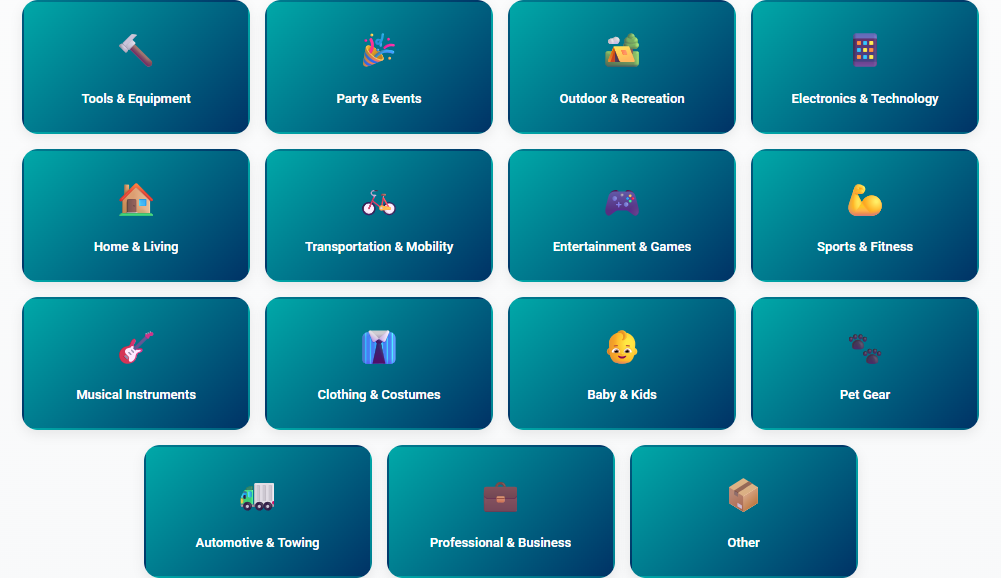
Find what you need nearby, or list your own items in minutes. Browse across 15 categories — from tools and party supplies to electronics, outdoor gear, sports, baby & kids, pet gear, automotive, and more. If you own it, someone probably needs it.
Book & Pay Securely
Request a booking — or click Buy Now if the item is for sale — and pay securely through Stripe. A small payment secures your booking; for purchases a hold is placed on your card until handoff.
Pick Up, Ship, or Enjoy
Grab the item locally, choose local delivery, or have a purchase shipped nationwide via USPS or UPS. Snap condition photos for rentals, return when done — the owner handles the rest.
Turn Your Stuff Into Income
That pressure washer in your garage. The stand-up paddleboard in your shed. The bounce house you use twice a year. Your stuff is worth something — and your neighbors want to borrow it.
Simple, transparent pricing
12.99% + $0.30 per rental
That's it. No monthly fees. No signup costs. No hidden charges. You only pay when you earn.
MyVicino Premium members: 10.99% + $0.30 per rental — plus multi-day discounts, store customization, and more.
Your item: $100/day
Rented for 3 days = $300
Our fee: $39.27
Built-in protections for every rental
Secure Booking
Every booking includes a Secure Booking payment to confirm your reservation. This is credited toward your rental total — it's not an extra charge.
24-Hour Auto-Decline
Too busy to respond? No worries. Unanswered requests auto-cancel after 24 hours. If the Secure Booking hasn't been charged yet, the renter pays nothing. Zero hassle for you.
Condition Photos
Both pickup and return require condition photos. If there's ever a dispute, you have documented evidence right in the app.
Damage Claims
Something come back damaged? File a claim with photos and a description. Our resolution process ensures both parties are heard, and our team is here to help.
Incidentals Hold
A temporary hold is placed on the renter's card at pickup to protect your item. You can customize the amount or disable it. If damage occurs, the hold can be captured to cover costs.
Verified Community
Every user completes a one-time community safety verification — a small $1.91 fee and government ID check through Stripe Identity — before they can list or rent. This ensures accurate rental agreements and makes it significantly harder for bad actors to scam other users.
Plus even more tools to manage your rentals & sales
Find What You Need, When You Need It
Why spend hundreds on something you'll use once? Borrow it from a neighbor instead. Save your money, save your storage space, and get exactly what you need. Looking to buy instead? Toggle to Buy mode on the search page — many items also ship nationwide.
Zero platform fees for borrowers. You pay the rental price, a Secure Booking payment (credited toward your rental), and applicable tax. That's it. At pickup, a temporary Incidentals Hold may be placed on your card — it reserves funds but is not an immediate charge, and is released after safe return.
How a booking works
Search & find items anywhere
Browse by category, search by keyword, or enter any US city or zip code to find items nearby. Filter by distance, price range, and ratings.
Request to book
Pick your dates, review the price, and send a booking request. Your Secure Booking payment is charged 48 hours before pickup to confirm your reservation.
Owner approves
Most owners respond within hours. If they don't respond within 24 hours, the booking auto-cancels. Cancel 48+ hours before pickup for a full refund.
Pick up or get it delivered
Head to the pickup location, or request owner services like delivery and setup if offered. Take a few quick condition photos through our guided process, pay the remaining balance, and you're all set. A temporary Incidentals Hold may also be placed on your card for damage protection — it reserves funds but is not an immediate charge.
Return when you're done
Bring it back by your return date. The owner inspects it, and you're done. Leave a review to help the community!
Days 1–2: +15%/day · Days 3–4: +25%/day · Day 5+: +50%/day (max 5× rental total)
Need more time? Message the owner through MyVicino before your deadline.
Your peace of mind, built in
Verified Users
Every user completes a one-time $1.91 community safety verification with government ID before they can list or book. This keeps scammers out and ensures every rental agreement is tied to a real, verified person.
Ratings & Reviews
Real ratings from real renters. Check item reviews and the owner's shop-level rating before you book, then leave one combined rental review after every rental.
Refund Guarantee
If an owner rejects your request or doesn't respond, your Secure Booking payment is automatically refunded. No questions asked.
Secure Payments
All payments are processed through Stripe. Your card information is never shared with owners or stored on our servers.
Transparent Protection
The Incidentals Hold at pickup is a temporary card pre-authorization — it reserves funds but is not an immediate charge. It's automatically released after you return the item safely.
And more to make renting & buying easy
Built on Trust & Safety
Every rental on MyVicino is backed by secure payments, documented condition photos, a community review system, and real support from a real team. We never sell your personal data to third parties.
MyVicino™ is owned and operated by Borrowd LLC DBA MyVicino in Wilmington, DE.
Ready to get started?
Whether you're looking to earn or looking to borrow — it only takes a minute.
Frequently Asked Questions
Everything you need to know about Listing, Renting, and Buying on MyVicino.
No matching questions found.
Try different keywords, or let our AI Concierge help you out.
General
What is MyVicino?
+MyVicino is a peer-to-peer rental marketplace that connects people who have stuff with people who need stuff. Instead of buying something you'll only use once or twice, you can rent it from a neighbor. And if you have items sitting idle, you can list them and earn money.
How does MyVicino work?
+It's simple:
- Browse or list — Search for items you need, or list your own items for rent.
- Book & pay securely — Request a rental, pay through Stripe, and wait for the owner to approve.
- Pick up & enjoy — Meet the owner, take condition photos, and use the item for your rental period.
When you're done, return the item, and the owner confirms everything is good. Payments and reviews are all handled through the platform.
Do I need an account to browse items?
+No! You can browse and search for items without creating an account. You'll only need to sign up when you're ready to book a rental or list an item.
Is MyVicino available in my area?
+MyVicino works anywhere in the United States. You can search for items near any city or zip code using our location search. The platform is especially active in the Mid-Atlantic region (Delaware, Maryland, Pennsylvania, and Virginia), but you're welcome to list and rent items anywhere in the US.
What kinds of items can I rent on MyVicino?
+Almost anything! We have 15 categories:
- Tools & Equipment (power tools, ladders, generators)
- Party & Events (tables, chairs, tents, speakers)
- Outdoor & Recreation (kayaks, camping gear, paddleboards)
- Electronics & Technology (cameras, projectors, drones)
- Home & Living (pressure washers, lawn mowers, appliances)
- Transportation & Mobility (cargo trailers, scooters, golf carts)
- Entertainment & Games (arcade games, yard games, laser tag)
- Sports & Fitness (bikes, fitness equipment, gear)
- Musical Instruments (guitars, keyboards, PA systems)
- Clothing & Costumes (formalwear, costumes, accessories)
- Baby & Kids (strollers, car seats, play equipment)
- Pet Gear (carriers, crates, training equipment)
- Automotive & Towing (jacks, tow dollies, car-care tools)
- Professional & Business (construction & office equipment)
- Other
If you own it and someone else might need it, you can probably list it!
Do I need to verify my identity to use MyVicino?
+You can browse and search for free without any verification. However, before you can list an item or make a booking, you'll need to complete our community safety verification — a one-time process that takes less than a minute:
- Pay a one-time $1.91 fee — This small fee helps maintain a verified, trustworthy marketplace.
- Verify your government ID — Scan your driver's license or state ID through Stripe Identity.
This is required for all users and only needs to be done once. It prevents scams, ensures accurate rental agreements, and protects everyone in the MyVicino community.
What is the AI Concierge?
+The AI Concierge is MyVicino's built-in AI assistant, powered by Anthropic's Claude. It works in two modes:
- Item Mode — Tap "Ask a Question" on any item page. The Concierge has full context for that listing: pricing, availability, owner services (delivery, setup, etc.), active discounts and coupons, and shop policies. If it can't answer, it can hand you off to message the owner directly.
- General Mode — Tap the "?" icon in the footer or open the AI Concierge page. Ask anything about how MyVicino works — fees, cancellations, where to find a feature (My Shop vs. Owner Services, Pay & Activity, Bookings Calendar), how the unified cart and stepped checkout flow, damage claims, late fees, and more.
What does my user ID (VCN-) mean?
+That's your unique MyVicino user number, used on receipts, statements, and damage-claim records. Every account gets a VCN- prefix followed by a sequential number (e.g. VCN-00042). Your number never changes.
What's the difference between renting and buying on MyVicino?
+Both happen on the same marketplace, but they're different transactions:
- Renting is short-term. You pay a daily rate, pick the item up (or have it delivered), use it, and return it. Rentals are unique 1-of-1 items with condition photos that document the specific physical unit.
- Buying is a permanent transaction. You pay the sale price, take it home (or have it shipped), and it's yours. Sellers can list multiple of the same item for sale.
Some items are available for both. Switch between modes with the Rent / Buy toggle on the search page.
For Renters
Can I mix rentals and purchases in the same cart?
+Yes — MyVicino has one unified cart that holds both rentals and purchases together, from any number of owners. The cart icon in the header shows a single combined item count.
On the cart page everything is grouped by owner. Each owner's section shows their rentals (with pickup/return times) and their purchases (with quantity steppers + a fulfillment picker if there are sale items). At checkout you'll confirm one owner at a time — see the next question.
How does the stepped checkout work?
+When you click "Proceed to Checkout", MyVicino pre-validates every owner group (dates, availability, stock, shipping setup). If anything's missing, you'll see inline errors right on the cart page — fix those first.
Once everything checks out, a stepper modal opens and walks you through one owner at a time. Each card shows that owner's items, schedule, fulfillment, and a "Confirm & Pay" button. Confirm one card → it processes that group atomically (rental Bookings + sale Order, deposits and Stripe holds) → the card cycles to the next owner. Final screen summarizes what was completed.
If a payment fails for one owner, you can retry it or click "Skip this owner" — that group stays in your cart for later, and the rest of your checkout continues.
Can I stagger pickup times across multiple owners?
+Yes. Set a cart-wide rental schedule at the top of the cart (default pickup + return for everything). Then on each owner's group, click "Adjust for this owner" to override the times — for example, pick up O'Brien Automotive's items at 2:00 PM Saturday, then head to Park's Build Supply at 3:00 PM. Each owner can have its own pickup and return time. "Reset to cart default" reverts an override.
You can't be in two places at once, so this is built right in.
How do I rent an item?
+- Search for what you need using keywords, categories, or location.
- Select your dates and add the item to your cart (or book directly).
- Submit your booking request — your Secure Booking payment will be charged 48 hours before pickup (or immediately if booking within 48 hours).
- Wait for approval — the owner will review and approve your request.
- Pick up the item — follow the guided pickup process with condition photos.
- Return it when your rental period is done.
Are there any fees for renters?
+Nope! Renters pay zero platform fees. You only pay the rental price set by the owner, a Secure Booking payment (credited toward your rental), and applicable sales tax. If the owner offers services like delivery or setup and you opt in, a service fee may also apply. That's it — no hidden charges.
What is the Secure Booking payment?
+Every booking includes a Secure Booking payment — 10% of the rental total (up to $200). This is not an extra fee; it's credited toward your total rental cost.
The Secure Booking payment is charged 48 hours before your scheduled pickup (or immediately if you book within 48 hours). If the owner rejects your request or doesn't respond within 24 hours, the booking is cancelled and no payment is charged.
What is the Incidentals Hold?
+At pickup, a temporary authorization hold is placed on your card — the default amount is 5x the daily rental rate (owners may customize the amount or disable it entirely). This is not an immediate charge — it temporarily reserves funds on your card and is released after safe return.
If the item is returned safely with no damage, the hold is automatically released. If damage occurs beyond normal wear and tear, MyVicino will mediate the claim and some or all of the hold may be captured to cover repair or replacement costs.
What happens after I request a booking?
+After you submit a booking request, the owner is notified and can approve or decline. If approved, you'll be notified and can proceed to pick up the item on your start date. If the owner declines — or doesn't respond within 24 hours — your Secure Booking payment is automatically refunded.
How does pickup work?
+MyVicino has a guided pickup process to protect both you and the owner:
- Go to the owner's pickup location (shown in your booking details).
- Inspect the item and take condition photos — these document the item's state when you received it.
- Confirm the pickup in the app.
Condition photos are timestamped and stored securely, providing clear evidence of the item's condition at handoff.
How do I return an item?
+Returns are a two-step process:
- You mark the item as returned from your Bookings Calendar — open the booking and tap "Mark Returned" when you bring it back to the owner.
- The owner inspects the item, takes return condition photos, and confirms the return is complete.
Once the owner confirms, the booking is marked as completed. If everything is in good condition, that's it — you're done!
- The full daily rental rate is auto-charged to your card every day the item is overdue — like the rental kept going. This continues through Day 5; on Day 6, auto-charging stops and the case escalates.
- A late-return surcharge accrues on top, on a tiered schedule (Days 1–2: +15%/day, Days 3–4: +25%/day, Day 5: +50%/day, max 5× your original rental total). The surcharge does not auto-charge — at return, the owner has 10 days to charge it, discount it, or waive it entirely.
Can I cancel a booking?
+Yes, you can cancel a booking before pickup, but cancellation penalties apply based on timing:
- 48+ hours before pickup — Full Secure Booking refund, no penalty
- 24–48 hours before pickup — MyVicino's 12.99% + $0.30 platform fee is taken first; of the remainder, 75% is refunded to you and 25% goes to the owner
- Under 24 hours before pickup — Platform fee is taken first; of the remainder, 50% is refunded and 50% goes to the owner
- No-show (you don't show up) — Your entire Secure Booking is forfeited and your account is flagged. Repeated no-shows can trigger account review and suspension.
Once you've picked up the item, the booking can no longer be cancelled — you'll need to return it through the normal return process. If you don't return the item within 5 days of the scheduled return without communicating with the owner, your account is suspended and a documentation packet is generated for the owner. If the owner cancels the booking, you always receive a full refund.
Can I book multiple items at once?
+Yes! MyVicino has a multi-item shopping cart. You can add up to 20 items from different owners with different rental dates, and check out in a single transaction. Each item's Secure Booking and rental payments are processed separately with each respective owner. If an owner offers services like delivery or setup, you can select those per item too. It's a great way to get everything you need for a project or event in one go.
When is my Secure Booking payment charged?
+Your Secure Booking payment is charged 48 hours before your scheduled pickup. If you book within 48 hours of pickup, the payment is charged immediately. It is credited toward your total rental cost.
If your payment method fails, you'll receive an SMS with 12 hours to update your card. If the payment still can't be processed after the grace period, the booking will be automatically cancelled.
Additionally, 24 hours before pickup, an authorization hold is placed on your card for the remaining rental balance. This hold is captured when you pick up the item.
At pickup, a temporary Incidentals Hold is also placed on your card. This is not an immediate charge — it reserves funds to protect the owner against damage and is automatically released when you return the item safely.
How do I buy an item on MyVicino?
+Some items on MyVicino are also available for purchase. Here's how it works:
- Switch to Buy mode using the toggle on the search page to browse items listed for sale.
- Click an item to see its sale price and details, then click "Buy Now".
- Select a pickup date and time that aligns with the seller's availability, then confirm your purchase.
- A hold is placed on your card — you are not charged until the item is handed off.
- Coordinate the handoff with the seller. Once the seller confirms it, the payment is captured.
If you change your mind, you can cancel before the handoff and the hold is released. For local-pickup orders, if the handoff isn't completed within about 6 days the purchase auto-cancels and the hold is released. Shipping orders follow the carrier's tracking timeline instead. You can track all your purchases under Account & Settings → Pay & Activity → My Purchases (or click Pay & Activity in the menu for a direct shortcut).
There are no platform fees for buyers — you only pay the listed sale price plus applicable tax.
What does "Available after [date]" mean on an item?
+That date marks when an item that's currently being rented will be available again. We hold the item back from new sales for 48 hours after the rental's scheduled return so the owner has time to inspect it and file a damage claim if anything is wrong before it goes back on sale. The pill on the search results and the item page reflects that buffer (rental end date + 48 hours).
If you don't want to wait, click 🔔 Notify Me When Available on the item page and we'll email you the moment it relists.
What does the 🔔 Notify Me button do?
+If a for-sale item is currently rented (or otherwise unavailable to buy), the Buy Now button changes to 🔔 Notify Me When Available. Tap it once to join the waitlist for that item. When the seller relists, every waitlist subscriber gets an in-app notification and an email automatically — first-come, no priority lottery.
One subscription per item per buyer. If you miss the relist, you can resubscribe with one tap.
Can I buy items from multiple sellers in one cart?
+Yes. MyVicino's unified cart now groups items by seller automatically — you can add purchases (and rentals) from any number of owners and check them all out in one session. Each owner becomes its own group on the cart page with its own quantities, fulfillment options (local pickup, delivery, or shipping where offered), and total.
At checkout, the stepper modal walks you through one owner at a time. Each group is processed atomically — its own Order, its own payment, its own (if shipping) Shippo label — so a problem with one seller never blocks the others. If a payment fails for one group you can retry it or skip that owner; the rest of the checkout continues.
Can I buy multiple of the same item at once?
+Yes — when a seller has multiple units listed, the search card shows "X in stock" and the item detail page lets you adjust quantity. Use the + / − stepper on the cart page to change how many you want.
Single-stock items show "Qty: 1" without a stepper. If an item runs out of stock between you adding it and checking out, we'll let you know with an "out of stock" message and let you adjust before paying.
For Owners
How do I list an item for rent?
+Tap "List Item" from the menu, then fill out a quick form with your item's name, description, category, daily rental price, and photos. Set a pickup address (it defaults to your registered address) and you're live! Renters can immediately find and book your item.
What does it cost to list an item?
+Nothing! Listing items on MyVicino is completely free. There are no monthly fees, no signup costs, and no listing charges. You only pay a small platform fee when you actually complete a rental — so if your item isn't rented, you pay nothing.
How much does MyVicino charge per rental?
+MyVicino charges 12.99% + $0.30 per completed rental. This fee is applied only to the rental amount (not the Secure Booking payment). For example, if you rent out an item for $100, your payout would be $87.01 after the platform fee.
MyVicino Premium subscribers pay a reduced rate of 10.99% + $0.30 per rental.
There are no monthly fees to list, no signup costs, and no charges when your items aren't being rented.
How do I get paid?
+Payments are processed through Stripe Connect. During account setup, you'll connect your Stripe account (or create one for free) where you'll enter your bank details. After a rental is completed, your payout is deposited directly to your bank account. Stripe handles all the payment processing securely.
Can I set my own prices and availability?
+Absolutely! You have full control over your rental price per day, custom Incidentals Hold amounts, pickup availability windows, and whether you offer after-hours dropoff. You can also set items to "maintenance" mode if they need a break from rentals, and update pricing anytime from your listings dashboard.
What if a renter doesn't show up?
+MyVicino has an automated no-show protection system. If a renter is late for pickup, we send them an SMS check-in 10 minutes after the scheduled pickup time. If there's still no response 20 minutes after pickup, you'll be able to declare the booking a no-show from your Bookings Calendar.
Once declared and confirmed, the renter's entire Secure Booking payment is forfeited. A small processing fee is deducted, and the remainder is transferred to your account. You'll also be able to rate the renter, which helps other owners in the community.
Can I offer delivery, setup, or other services?
+Yes! MyVicino's Owner Services system lets you offer much more than just delivery. You can enable any combination of:
- Delivery — Bring the item to the renter
- Setup / assembly — Set up the item at the renter's location
- Take-down — Break down the item when the rental is over
- Owner pickup — Pick up the item from the renter at the end
You choose your pricing model — free, per-mile, or a flat fee — and set a maximum service radius (default 25 miles). You can even require your services if you'd prefer renters don't handle pickup and dropoff themselves. Settings apply to all your items by default, but you can override them on individual listings too.
Can I sell items on MyVicino too?
+Yes! When listing an item, you can check the "Also available for sale" option and set a sale price. Your item will still be available for rent, but interested buyers can also see the purchase option. It's a great way to get more value from items you're ready to part with — rent it out until it sells.
How it works for sellers:
- When a buyer purchases your item, a hold is placed on their card — they are not charged yet.
- You'll receive a notification to coordinate the handoff with the buyer.
- Once you confirm the handoff in Account & Settings → Pay & Activity → My Sales, the payment is captured and your payout is processed.
- The same platform fee applies: 12.99% + $0.30 per sale.
- For local-pickup orders, if the handoff isn't completed within about 6 days the purchase auto-cancels and the hold is released. Shipping orders follow the carrier's tracking timeline instead.
What is "Try It, Buy It"?
+Try It, Buy It lets a renter buy an item they're currently renting — and keep it instead of returning it. It only kicks in when the same owner has the item listed for both rent and sale.
For renters:
- If you're renting an item that's also for sale, MyVicino emails you 24 hours before your scheduled return (6 hours before for 1-day rentals): "Want to keep it instead of returning?"
- The rental cost you've already paid applies as a credit toward the sale price. So if you rented a $200 item for $30, you'd pay $170 to keep it (plus sales tax).
- Click the link in the email, review the offer, and click Buy It & Keep It. Your card is charged, the rental is marked complete, and the item is yours — no return trip needed.
- Not interested? Just return the item as planned. The offer expires when your rental ends.
For owners:
- You set the credit cap — the maximum portion of the sale price the renter's rent can apply as credit. Default is 25%, adjustable from 0% to 50% under Account → Owner Services → For Sale Item Defaults.
- You can override the cap (or turn the feature off) on individual listings during the listing flow.
- You absorb the credit out of your sale payout. Your original rental payout from the booking is unaffected — it was already paid out.
- When a renter converts, you get a "no return needed" email and the booking is marked complete. The sale payout processes via Stripe Connect on the normal 2–5 business day schedule.
Why it works: the renter has already lived with the item and knows they like it. You skip the return-and-relist cycle and convert a guaranteed buyer instead of waiting for the next one to walk in.
How do I track my sales?
+Open Account & Settings → Pay & Activity (or click Pay & Activity in the hamburger menu for a direct shortcut) and scroll to the My Sales section. You'll see all your purchase orders organized by status:
- Pending: A buyer has placed a hold — coordinate the handoff with them.
- Completed: You confirmed the handoff and your payout was processed.
- Cancelled: The purchase was cancelled by you, the buyer, or auto-cancelled due to hold expiration.
Use the "Complete Sale" button on a pending sale to confirm the handoff and trigger payment. You can also cancel a pending sale if needed.
How do I set up my owner profile?
+When you're ready to start renting out your items, MyVicino walks you through a guided shop setup wizard that covers everything in 5 quick steps:
- Create your shop name and description
- Set your pickup location and instructions
- Define your pickup availability windows
- Configure your owner services (delivery, setup, etc.)
- Set up after-hours dropoff options
You can always update any of these settings later from your Account page.
What's the difference between My Shop and Owner Services?
+Both live under Account & Settings as separate tabs, and they handle different things:
- My Shop — your storefront identity. Shop name, description, banner image, share link, payout setup (Stripe Connect), coupons & discount codes, and Premium settings. The hamburger menu's "Edit My Shop" link jumps you straight here.
- Owner Services (truck icon tab) — your fulfillment options. Whether you offer delivery, setup/assembly, take-down, or owner pickup; pricing model (free, per-mile, or flat); service radius; after-hours dropoff; pickup availability windows.
Quick rule of thumb: My Shop is what renters see about you; Owner Services is what renters can add to their booking.
What is after-hours dropoff?
+After-hours dropoff allows renters to return items outside of your normal pickup hours. When enabled in your shop settings, renters can drop off items at your specified location even when you're not available — and you can inspect the return later. This gives renters more flexibility and can reduce scheduling friction.
Can I pause my listings while I'm on vacation?
+Yes! In your account settings, you can set vacation periods that block your items from being booked during specific date ranges. Your listings remain visible but show as unavailable for those dates. You can set multiple vacation periods in advance.
How do I offer shipping on items I'm selling?
+Shipping is available on items marked For Sale (rentals stay pickup/delivery only). When you list or edit a for-sale item:
- Toggle "Offer shipping" on in the listing form.
- Enter weight (lbs + oz) and box dimensions (length × width × height in inches). Use a scale and measure the actual box you'll ship in — not the item itself.
- Optionally set a different ship-from address (defaults to your account address).
At checkout, buyers will see "📦 Ship to me" alongside any local options you offer, pick a USPS or UPS rate (Ground / Priority / Express), and pay shipping as part of the order. Coverage is US-only (50 states including AK and HI).
Where do I get the shipping label and tracking number?
+On the My Listings page you have two ways in: click the sale row in the My Sales disclosure at the top of the page, or (in Cards view) click the sold item card in the inventory grid. Either way the Manage Sale modal opens. Click "Generate Shipping Label" — we purchase the label through Shippo and the modal updates with:
- The carrier tracking number (linked to USPS or UPS).
- A "Download Label PDF" button.
Print the label, attach it to your package, hand it off to the carrier, then click "Mark as Shipped & Capture Payment" to capture the buyer's payment. The buyer sees the same tracking number in their My Purchases view automatically.
What happens if my package weighs more than I listed?
+USPS and UPS automatically reweigh and remeasure packages at intake — every package, every time. If the actual weight or dimensions exceed what you listed, the carrier issues a reweigh adjustment charge directly to your Shippo account. This is non-refundable and never billed to the buyer or to MyVicino — the buyer pays exactly the rate they were quoted at checkout.
To avoid surprise fees:
- Weigh on a real scale (not estimated) and include all packaging — box, padding, tape, void fill.
- Measure the actual box you'll ship in (length × width × height), not the item itself.
- If the item is irregularly shaped, round up dimensions to the nearest inch — this is your responsibility as the seller.
Can I list multiple of the same item?
+Yes — for items marked For Sale only. Set the Inventory quantity field on the listing form to however many units you have on hand (e.g. 10 of the same candle). Each completed sale decrements your stock automatically; the listing flips to "Sold Out" when you run out.
Items available for rent must stay 1-of-1. Rentals are unique physical objects with condition photos that map to a specific unit, so we don't allow inventory greater than 1 on rental listings. To list multiple of the same item, turn off "For Rent."
How do I cancel an order and void a label I already generated?
+Open the Manage Sale modal (click the sale row in the My Sales disclosure on My Listings, or click the sold item card) and click Cancel Sale. We:
- Release the buyer's authorization hold.
- Restore your inventory.
- Auto-void the shipping label through Shippo (if one was generated). Shippo refunds your label cost on their normal cycle — typically 1 to 14 days for unused labels.
- Notify the buyer.
If you've already shipped the package, contact the carrier directly to recall it; you cannot void a label after the carrier has scanned it.
Where do I find pending sales and rentals that need my attention?
+The My Listings page is your action hub. Two collapsible sections at the top show everything in flight:
- My Rentals Out — every booking on your items. The header shows total bookings and a red "Needs Attention: N" pill when there are pending requests, in-progress counter-offers, no-shows, or overdue returns.
- My Sales — every order on your items. The header shows total sales and a red "Needs Attention: N" pill when there are sales waiting on you (handoff, label generation, etc.).
Action-needed items bubble to the top of each section and get a gold outline so they're easy to spot. Click any row to open the detail modal and take action.
Pay & Activity still has the same disclosures, but it's read-only there — for actually doing things, use My Listings.
What's the difference between Cards view and Rows view on My Listings?
+Two ways to browse your inventory — pick whichever you prefer (toggle is in the top-right of My Listings; we'll remember your choice):
- ▦ Cards (default) — full layout with the item image, description, and inline action buttons (Pause, Edit, Delete, View Calendar) right on the card. Best when you have a small inventory and want everything at a glance.
- ☰ Rows — compact horizontal rows, one per listing. Click any row to open the Manage Listing modal which hosts the same action buttons. Best when you have a long inventory and want a denser overview.
Sold items always open the Manage Sale modal regardless of view, since handoff/shipping actions differ from listing actions.
How do I message a buyer about an order?
+Open the Manage Sale modal for that order (click the sale row in the My Sales disclosure on My Listings, or click the sold item card). Click the 💬 Message Buyer button — we open (or create) the messaging thread between you and the buyer for that item. From there it's the standard in-app chat: real-time, contact info auto-filtered for safety, scoped to that listing.
If the buyer messaged you about the item before they purchased, that same thread is reused — no duplicate conversations.
How do I update my inventory quantity without editing the whole listing?
+For multi-unit For-Sale listings, click Edit on the listing. The "How many remaining to sell?" field shows what's left (your total inventory minus what's already sold), and a small breakdown right below: "Currently 6 remaining of 10 listed (4 sold)…"
Change the number and click the Update Quantity button right under the field. We rebuild the true total internally as sold + remaining, so your sales history is always preserved. A toast confirms the update — no need to save the whole form.
Saving the form normally still works exactly the same way; both paths go through the same backend route.
Payments & Fees
How are payments processed?
+All payments are processed securely through Stripe, a leading payment platform trusted by millions of businesses worldwide. Your payment information is never shared with owners or stored on our servers. Stripe is fully PCI compliant, meaning your card data is protected by the highest security standards.
When am I charged as a renter?
+Your Secure Booking payment is charged 48 hours before your scheduled pickup. If you book within 48 hours of pickup, it is charged immediately. The remaining rental balance is authorized 24 hours before pickup and captured when you pick up the item. If the owner declines or doesn't respond within 24 hours, no charges are placed.
At pickup, a temporary Incidentals Hold may also be placed on your card — this reserves funds but is not an immediate charge, and is released after the item is returned safely.
When do owners receive their payout?
+Owner payouts are processed through Stripe Connect after the rental is completed and the return is confirmed. Payout timing depends on your Stripe account settings, but typically funds arrive in your bank account within 2-5 business days after the rental is completed.
What payment methods are accepted?
+MyVicino accepts all major credit and debit cards through Stripe, including Visa, Mastercard, American Express, and Discover. You can add multiple payment methods to your account and select which one to use at checkout.
How do refunds work?
+Refunds are processed automatically in several situations:
- Owner declines your booking — Full Secure Booking refunded
- Owner doesn't respond within 24 hours — Booking auto-cancels and Secure Booking is refunded
- You cancel 48+ hours before pickup — Full Secure Booking refunded
- You cancel 24–48 hours before pickup — MyVicino's 12.99% + $0.30 platform fee is taken first; of the remainder, 75% is refunded to you and 25% goes to the owner
- You cancel under 24 hours before pickup — Platform fee is taken first; of the remainder, 50% is refunded and 50% goes to the owner
- No-show — Entire Secure Booking forfeited (after the platform fee, the rest goes to the owner). Your account is also flagged; repeated no-shows can lead to suspension.
- Owner cancels — Full refund issued
The owner can choose to waive their share of a late-cancellation penalty (full refund minus the platform fee) or issue a partial refund — message them if you want to ask.
Refunds typically appear on your statement within 5-10 business days, depending on your bank.
Is sales tax charged on rentals?
+It depends on your location. MyVicino calculates and collects applicable sales tax automatically based on the rental location. Some states (like Delaware) have no sales tax, so you won't see any tax added. In states that do charge sales tax, the amount is shown clearly at checkout before you pay — no surprises.
How do payments work for purchases?
+Purchases work differently from rentals — they use a hold-then-capture model:
- Buyers: When you confirm a purchase, a hold is placed on your card for the sale price. You are not charged until the seller confirms the handoff. There are no platform fees for buyers.
- Sellers: Once you confirm the handoff from the My Sales section under Account & Settings → Pay & Activity, the payment is captured and your payout is processed (sale price minus the 12.99% + $0.30 platform fee).
- Cancellation: Either party can cancel before the handoff — the hold is released and you're never charged.
- Hold expiration: For local-pickup orders, if the handoff isn't completed within about 6 days the purchase auto-cancels to protect both parties. Shipping orders follow the carrier's tracking timeline instead.
Do you charge a fee on the shipping cost?
+No. Shipping is a pass-through cost. The buyer pre-pays it as part of the order; when the seller generates the label, Shippo charges the seller's account for the same amount — net $0 to the seller. Our 12.99% + $0.30 (or 10.99% + $0.30 for Premium) platform fee is calculated on the item subtotal only — never on shipping or sales tax.
How is sales tax calculated on shipped orders?
+Sales tax is calculated automatically by Stripe Tax based on the buyer's shipping address and the seller's nexus. Each state has different rules — some tax shipping, some don't, some tax it only when the items themselves are taxable. Stripe handles the right calculation per state for you.
Delaware, for example, has no sales tax, so an order shipped to Delaware shows $0 tax. An order shipped to a state that taxes shipping (like Pennsylvania) will include tax on both the items and the shipping cost.
Safety & Trust
How does MyVicino keep transactions safe?
+MyVicino has multiple layers of protection built in:
- Secure payments — All transactions go through Stripe. No cash, no Venmo, no workarounds.
- Secure Booking — Every booking includes a Secure Booking payment to confirm the reservation, credited toward the rental total.
- Incidentals Hold — A temporary card pre-authorization at pickup protects owners against damage. It reserves funds but is not an immediate charge — it's automatically released after safe return.
- Condition photos — Timestamped photos at pickup and return document the item's condition.
- Ratings & reviews — Renters leave one combined rental review covering the item and owner; owners rate the renter. Each owner also has a shop-level rating visible on their storefront.
- Verified community — Every user must complete a one-time $1.91 community safety verification and government ID check before listing or booking. This prevents scams and ensures accurate rental agreements.
- Damage claims — A formal process to resolve disputes if something goes wrong.
What are condition photos?
+Condition photos are pictures taken during the pickup and return process that document the item's physical state. They're timestamped and stored securely, creating a clear record of how the item looked when it was handed off and when it was returned. If there's ever a disagreement about damage, these photos serve as evidence for both parties.
How does the review system work?
+After a rental is completed, both parties can leave reviews:
- Renters leave a single combined rental review (1–5 stars) that covers the whole experience — the item and the owner together. (Older split reviews were unified into one rental review for simplicity and to give owners a clearer signal.)
- Owners rate the renter.
Reviews can include optional text and photos. You have 30 days after a rental is completed to leave your review. Owners can publicly respond to reviews. Each owner also has a shop-level rating on their storefront — an aggregate of all reviews across their listings — visible to buyers and renters before they book or purchase. Ratings appear on item pages and factor into search ranking.
What is community safety verification?
+Community safety verification is a one-time process required before you can list items or make bookings on MyVicino. It has two steps:
- Pay a one-time $1.91 verification fee — This small fee helps us maintain a verified, trustworthy marketplace and deters bad actors from creating fake accounts.
- Verify your government ID — Using Stripe Identity, you'll scan your driver's license or state ID. This takes less than a minute and ensures every user on the platform is a real, verified person.
Why do we require this?
- It makes it significantly harder for scammers to operate on the platform
- It ensures rental agreements are tied to verified, real identities
- It protects both owners and renters in every transaction
After completing verification, you'll see trust badges on your profile. You can also verify your email and phone number for additional trust signals. Verification is a one-time process — you won't need to do it again.
How do I report a problem?
+If you encounter an issue with a rental, you have several options:
- Message the other party directly through the in-app messaging system to try to resolve it
- File a damage claim (owners) if an item is returned damaged
- Block a user from their profile if you no longer wish to interact with them
- Report a user for policy violations, harassment, or safety concerns — reports are reviewed by the MyVicino team
- Leave an honest review to inform the community
- Contact MyVicino support by emailing support@myvicino.com for issues that need admin attention
Does MyVicino collect analytics about users?
+We analyze aggregated, anonymized data such as general demographics, transaction trends, and listing popularity to improve our platform. This data is used internally only and is never sold or shared with third parties. Individual user information is kept private and secure.
Is my personal information sold to third parties?
+Absolutely not. MyVicino will never sell, rent, or trade your personal information to data brokers, advertisers, or any third party. Your data is used only to run the platform — things like processing payments, sending booking notifications, and verifying your identity.
Here's how your data is handled:
- Payment info is processed by Stripe (PCI Level 1 compliant) and is never stored on our servers.
- Account and booking data is stored in encrypted databases on MongoDB Atlas.
- Phone numbers are shared with Twilio solely for SMS notifications and verification codes.
- Photos are stored securely on Cloudinary.
None of these providers sell your data. For full details, see our Privacy Policy.
Damage & Disputes
What happens if an item is returned damaged?
+If an item comes back damaged, the owner can note the damage during the return inspection and then file a formal damage claim. The claim includes a description of the damage, the claim amount, and up to 5 photos as evidence. MyVicino's damage claim system handles the resolution process between both parties.
How does the damage claim process work?
+The damage claim process has clear steps:
- Owner files a claim — Describes the damage, specifies an amount, and uploads photos.
- Renter is notified — The renter gets a notification and can view the claim details.
- Renter responds — The renter can submit their side of the story in writing.
- Owner resolves — Based on the evidence, the owner selects a resolution.
The entire process is documented in the platform, so there's a clear trail for both parties.
What if I disagree with a damage claim?
+If you're a renter and disagree with a damage claim, you have the right to respond in writing with your explanation. Condition photos taken during pickup and return serve as evidence. If the owner and renter can't reach an agreement, the claim can be escalated to the MyVicino admin team for review and a fair resolution.
Either party can also appeal an admin determination within 14 days. The fastest path is the in-app appeal form (Account & Settings → Appeals), where you can attach evidence directly — new photos, receipts, repair estimates, or statements from third parties. If you can't reach the in-app form for any reason, you can also email support@myvicino.com with the same evidence. After 14 days the determination is final.
How are damage claims resolved?
+Owners can resolve damage claims in one of several ways:
- Resolved between parties — The owner and renter agree on a fair resolution
- Partial resolution — A custom compensation amount is agreed upon
- Escalate to admin — MyVicino's team reviews the case and makes a decision
If an Incidentals Hold was placed at pickup, it may be partially or fully captured to cover the agreed-upon damage amount. If the damage exceeds the hold, additional charges may apply.
All resolutions are documented, and both parties are notified of the outcome.
Features & Tools
What is MyVicino Premium?
+MyVicino Premium is an optional subscription for owners who want to get more out of the platform. Two plans are available:
- Monthly: $9.99/month
- Yearly: $89.99/year (save 25%)
Premium benefits include:
- Reduced platform fees — 10.99% + $0.30 per rental (vs. 12.99% standard)
- Multi-day discounts — Set weekly (7+ days) and monthly (30+ days) pricing to attract longer rentals
- Store customization — Custom banner and profile branding
- Premium badge — Stand out in search results
Founders Club: The first 100 verified members receive free Premium for as long as the feature is offered. Early Adopters (members 101-500) receive 6 months free. Cancel anytime — non-Premium members still have full access to all core platform features.
How do coupons and discounts work?
+Owners can create discount codes for their listings. Two types are available:
- Percentage off — 1% to 70% discount
- Flat dollar amount — A fixed dollar discount off the rental price
Coupons can apply to a specific item or all of an owner's listings. Owners can also set minimum rental days, maximum uses, and expiration dates. Up to 20 active coupons per owner.
Renters apply coupon codes at checkout. The discount is reflected in the total before payment.
Multi-day discounts (Premium feature): Owners can set automatic weekly (7+ days, up to 50% off) and monthly (30+ days, up to 70% off) discounts that apply when renters book for longer periods.
How does in-app messaging work?
+MyVicino has a built-in messaging system that lets renters and owners communicate directly within the platform. You can message an owner from any item listing or active booking.
Messages are delivered in real time. For safety, the system automatically filters out personal contact information (phone numbers, email addresses, social media handles) to keep all communication on-platform and protect both parties.
Messages are not end-to-end encrypted and may be reviewed by authorized MyVicino staff for dispute resolution, fraud prevention, or safety purposes. See our Privacy Policy for details.
Can I save items to a wishlist?
+Yes! Tap the heart icon on any listing to save it to your wishlist. Access your saved items anytime from the navigation menu. Your wishlist is private to your account.
Can I block or report a user?
+Blocking: You can block any user from their profile. Blocking prevents them from messaging you, booking your items, or interacting with your account. Blocking is private — the other user is not notified. You can unblock at any time.
Reporting: If you encounter policy violations, harassment, or safety concerns, you can report a user directly through the platform. Reports are reviewed by the MyVicino team, and appropriate action is taken based on the severity of the violation.
Appeals: If you believe a moderation decision was made in error, you can submit an appeal through the platform for review.
How do monthly statements work?
+MyVicino automatically generates monthly statements for both owners and renters. Statements summarize your rental activity, payments received or charges made, platform fees, and other transaction details for the month. Statements are generated on the 1st of each month and are accessible from your account dashboard.
Can I install MyVicino as an app on my phone?
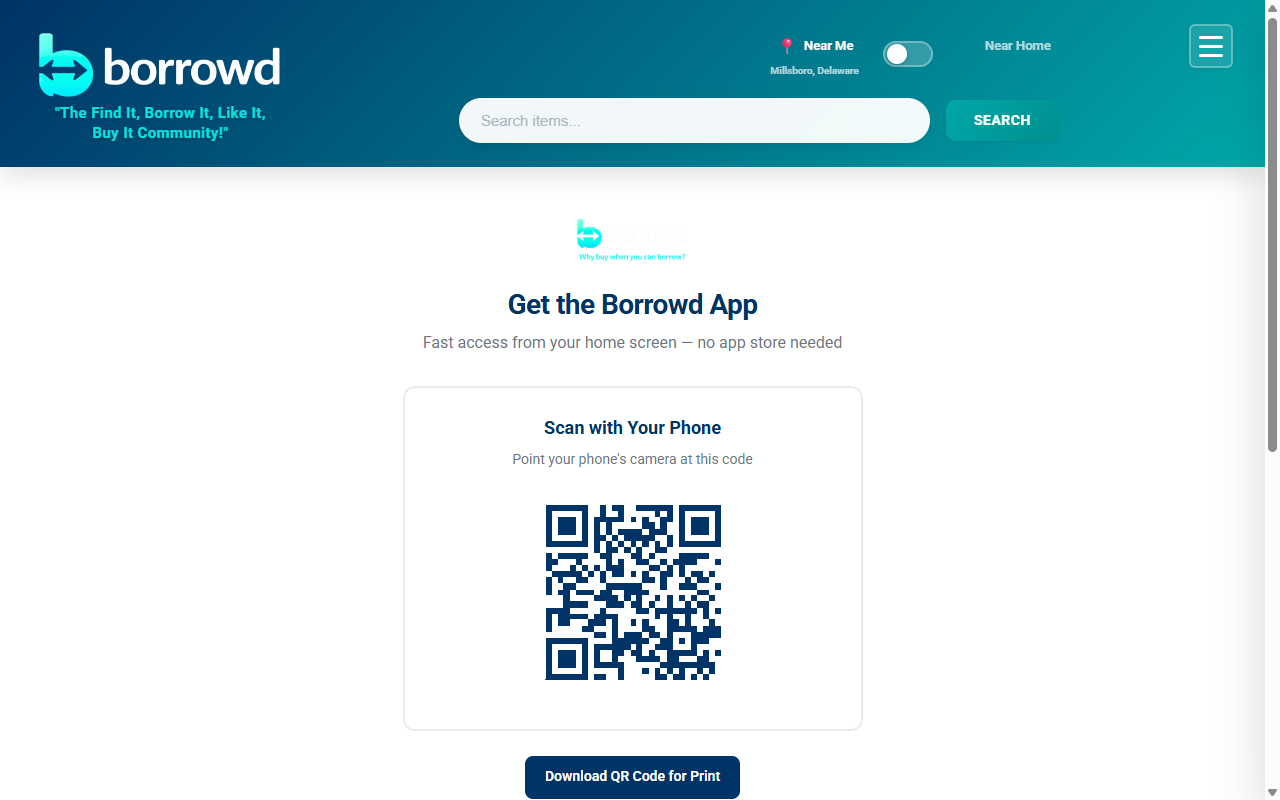
+Yes! MyVicino works as a Progressive Web App (PWA) — you can install it directly from your browser with no app store needed. Visit our Install page for step-by-step instructions for your device. On Android, you'll get a one-tap install button. On iPhone, tap the Share icon then "Add to Home Screen."
Still have questions?
Can't find what you're looking for? Check out our How It Works page, start browsing, or email us at support@myvicino.com.
Meet the MyVicino™ Concierge
Your AI-powered assistant for everything MyVicino. Get instant answers about listings, availability, pricing, and more.
What It Can Do
Answer questions about any listing — price, features, condition, owner services.
Check real-time availability for the next 30 days.
Find active discounts and coupon codes.
Explain how MyVicino works — fees, cancellations, protections.
Connect you directly to the item owner.
Escalate to MyVicino support when needed.
Two Modes
Item Mode
Opens from any item detail page via the "Ask a Question" button. The Concierge knows everything about that specific listing — pricing, availability, booked dates, owner services, active discounts, and more. If it can't answer your question, it can connect you directly to the owner.
General Mode
Opens from the "?" icon in the footer. Ask general questions about how MyVicino works — fees, cancellations, safety features, how to list items, how to book, and more. If you need further help, it can connect you to our support team.
How to Use It
Click "Ask a Question" on any item page, or tap the "?" in the footer for general questions.
Type your question (up to 500 characters). Ask about pricing, availability, discounts, how things work — anything.
The Concierge responds in seconds with accurate, up-to-date information pulled directly from the platform.
If the Concierge can't fully answer your question, it can connect you to the item owner or escalate to MyVicino support.
Privacy & Trust
- ✓ Powered by Anthropic's Claude AI
- ✓ Your questions are processed by Anthropic's API to generate responses
- ✓ Conversation history is maintained only for your current session
- ✓ All inputs are screened by content moderation filters
- ✓ Login required to use the Concierge
- ✓ The Concierge provides informational responses — always refer to our Terms and Privacy Policy for official policies
Ready to try it?
The Concierge is available on every item listing and from the footer on any page.
Community Guidelines & Damage Policy
MyVicino is built on trust. Here's how we take care of each other.
Our Philosophy
The Golden Rule
MyVicino was founded on a simple idea: neighbors helping neighbors. We believe most people are good, most transactions go smoothly, and most items come back just fine. That's been our experience, and we think it'll be yours too.
We ask everyone in our community to treat each other the way they'd want to be treated. Lend with generosity. Borrow with care. And if something goes wrong, communicate honestly and we'll work it out like neighbors.
For Owners
What to expect when listing your items
Listing your stuff on MyVicino is a great way to earn extra income and help out your neighbors. But it's important to go in with the right expectations:
- Please don't put anything on MyVicino that is irreplaceable or you are not willing to lose. While damage is rare, things can happen. If an item has deep sentimental value or can't be replaced, it's better to keep it off the platform.
- Understand that normal wear and tear is expected. When someone uses your item, minor scratches, dust, and general signs of use are normal. That's the reality of lending things out.
- Take clear photos before every rental. During the return process, you'll take condition photos. These protect you if there's ever a dispute — they're timestamped and stored securely.
- Set an appropriate Incidentals Hold. The Incidentals Hold helps protect you. Consider the item's value and condition when setting it.
- Renter liability is capped at $2,000 per booking for accidental damage. If you're listing high-value items, we strongly recommend maintaining your own insurance coverage.
- Communicate with your renter. Share any special care instructions or things they should know about the item. The better informed they are, the better they'll treat your stuff.
- If you offer shipping on a sale: list weight and dimensions accurately. Use a real scale, include packaging, and measure the actual box you'll ship in. Carriers reweigh at intake — discrepancies are charged to your Shippo account, not the buyer. Generate the label promptly after a sale and hand the package to the carrier within 2 business days.
- If you list inventory greater than 1: only list real on-hand stock. Don't oversell what you don't have. If you fulfill any units offline, mark them sold-out promptly so buyers aren't disappointed at checkout.
For Renters
Your responsibilities as a borrower
When you borrow something on MyVicino, you're borrowing from a real person in your community — not a faceless corporation. Please keep that in mind:
- Please take care of your neighbor's things as if they were yours. Treat every item with respect. If you wouldn't do it to your own stuff, don't do it to theirs.
- Please try to return items in the condition they were received. Clean them up, pack them properly, and bring them back the way you got them.
- Take clear photos at pickup. During the pickup process, you'll take condition photos. These protect you too — they prove the item's condition when you received it.
- You are responsible for damage beyond normal wear and tear. Accidents happen, and we get that. But if something gets broken, stained, or damaged beyond what's expected from normal use, you're responsible.
- Communicate honestly. If something goes wrong, tell the owner right away. Most issues are resolved quickly when both sides are upfront about what happened.
- If you're buying with shipping: provide an accurate, complete address. Carriers can't deliver to PO boxes for some services, and bad addresses delay or lose packages. Once your order ships, watch the tracking and report receipt or any damage promptly so the seller's payment captures cleanly.
What Is Normal Wear and Tear?
Normal wear and tear means minor, expected changes from using an item as intended. Here's a clear breakdown to help both owners and renters understand where the line is:
This IS Normal Wear and Tear
- ✓ Minor surface scratches from normal use
- ✓ Light dust or dirt that wipes off easily
- ✓ Battery drain or depletion from normal operation
- ✓ Minor scuffs on protective cases or carrying bags
- ✓ Slight fading from normal outdoor sun exposure
- ✓ Normal tire or tread wear on wheeled equipment
- ✓ Loosened screws or bolts from vibration during use
- ✓ Worn grip tape or handles from normal handling
This is NOT Normal Wear and Tear
- ✗ Broken, cracked, or bent parts or structural components
- ✗ Missing pieces, accessories, or attachments
- ✗ Stains, burns, or water damage
- ✗ Dents, deep gouges, or punctures
- ✗ Electrical or mechanical failure caused by misuse
- ✗ Cosmetic damage from drops or impacts
- ✗ Modifications or unauthorized repairs
- ✗ Damage from use in conditions the item is not designed for
Damage Claim Process
If damage occurs beyond normal wear and tear, here's how the resolution process works:
Owner Flags the Issue at Return
During the return inspection, the owner takes condition photos and flags any damage they notice. The item goes into "needs inspection" status.
Owner Files a Damage Claim
The owner submits a description of the damage, up to 5 photos, and the amount they're claiming. The renter is notified immediately.
Renter Responds
The renter gets a chance to explain their side of the story. Maybe the damage was pre-existing, or maybe there's context the owner doesn't know about. Both sides get heard.
Resolution
The owner can resolve the claim directly — the Incidentals Hold may cover the damage, a partial amount may be agreed upon, or the full hold may be captured. For claims above the Incidentals Hold, the owner must provide documentation of actual costs (repair estimates, receipts, or comparable pricing). MyVicino determines fair charges based on actual loss, not original retail value. Renter liability for accidental damage is capped at $2,000 per booking. If the parties can't agree, the claim can be escalated to the MyVicino team for a fair review.
About Secure Booking & Incidentals Hold: Every booking includes a Secure Booking payment (credited toward your rental total) and an Incidentals Hold (a temporary card authorization at pickup). If damage occurs beyond normal wear and tear, MyVicino will mediate the claim. The Incidentals Hold may be captured to cover repair or replacement costs.
Photo Documentation
Photos are the backbone of MyVicino's trust system. They protect both owners and renters by creating a clear, timestamped record of an item's condition.
At Pickup (Renter Takes Photos)
- Take 2-3 clear photos of the item
- Document current condition before your rental
- Photos are timestamped and stored by MyVicino
- These prove the condition when you received it
At Return (Owner Takes Photos)
- Inspect the item when it comes back
- Take 2-3 photos of the current condition
- Flag any damage before completing the return
- Photos become part of the item's condition history
Why this matters: If there's ever a disagreement about damage, MyVicino has before-and-after photos with timestamps. This makes disputes faster, fairer, and easier to resolve for everyone.
Messaging Conduct
Keep It On-Platform, Keep It Respectful
MyVicino's in-app messaging system exists to help renters and owners coordinate safely. All communication should stay within the platform.
- Use messaging to coordinate bookings, discuss item details, ask questions, and handle pickup/return logistics
- Do NOT share personal contact information (phone numbers, email addresses, social media handles) to arrange transactions off-platform — the system automatically filters this for everyone's safety
- Do NOT use messaging to harass, threaten, intimidate, or discriminate against other users
- Do NOT send spam, unsolicited promotions, or repetitive messages
- Keep communications respectful and relevant to your transaction
Note: Messages are not end-to-end encrypted and may be reviewed by authorized MyVicino staff for dispute resolution, fraud prevention, community safety, and compliance with legal obligations. See our Privacy Policy for details.
Reporting & Blocking
Blocking a User
- You can block any user at any time from their profile
- Blocking prevents the other user from messaging you, booking your items, or interacting with your account
- Blocking is private — the other user is not notified
- You can unblock at any time
- Active bookings between blocked users remain in effect and must be completed per existing terms
Reporting a User
- If you encounter prohibited conduct, harassment, or safety concerns, you can report a user directly through the platform
- Reports include a description of the issue and are reviewed by the MyVicino team
- Consequences range from warnings to permanent account suspension depending on the severity of the violation
- Filing false or malicious reports is itself a violation and may result in account action
Appeals
- If you believe a moderation decision was made in error, you can submit an appeal through the platform
- Appeals are reviewed by the MyVicino team and you will be notified of the outcome
- Appeal decisions are final
Prohibited Conduct
To keep our community safe and fair, the following behaviors are not allowed on MyVicino.
Off-Platform Transactions
Arranging payments outside of MyVicino to avoid fees undermines the protections that keep both parties safe. All transactions must go through the platform.
Harassment & Discrimination
Threats, hate speech, intimidation, or discrimination based on race, gender, religion, sexual orientation, disability, or any other protected characteristic will not be tolerated.
Fraudulent Listings
Listing items you don't own, misrepresenting item condition, posting fake photos, or creating misleading descriptions.
Fake Reviews
Submitting reviews for transactions that didn't happen, paying for reviews, or coordinating with others to manipulate ratings.
Commercial Subletting
Renting items from MyVicino and re-renting them to others for profit without the owner's knowledge and consent.
Circumventing Verification
Creating multiple accounts, using fake IDs, or otherwise bypassing Community Safety Verification requirements.
Misuse of Damage Claims
Filing fraudulent damage claims, inflating claim amounts, or using the claim system to harass other users.
Illegal Activity
Using the platform for any purpose that violates local, state, or federal law.
Messaging Abuse
Using the messaging system to harass, stalk, threaten, or send unsolicited content. Sharing personal contact information to bypass platform protections and arrange off-platform transactions.
False Reports
Filing false, malicious, or retaliatory reports against other users. Abusing the reporting system to harass or manipulate the platform.
Shipping Misrepresentation
Deliberately under-listing weight or dimensions to lower the buyer's quoted shipping rate. The carrier reweighs at intake; misrepresentation that triggers consistent reweigh charges is a guidelines violation, not just an honest miss.
Oversold Inventory
Listing inventory you don't have on hand to capture buyer attention, then cancelling orders you can't fulfill. Use real on-hand stock counts, and update them promptly when you sell offline.
Waitlist Abuse
Creating multiple accounts to spam the Notify Me waitlist on a single item, or coordinating with others to hoard relist alerts. The waitlist is one subscription per buyer per item, in good faith.
Consequences: Violations of these guidelines may result in content removal, account suspension, permanent ban, forfeiture of pending payouts, and/or legal action. For full details, see our Terms of Service.
Ready to get started?
Join a community of neighbors helping neighbors. Browse items near you or list something you own.
Privacy Policy
Effective Date: March 1, 2026 | Last Revised: May 1, 2026
PLEASE READ THIS PRIVACY POLICY CAREFULLY. BY CREATING AN ACCOUNT ON OR ACCESSING THE MYVICINO PLATFORM, YOU ACKNOWLEDGE THAT YOU HAVE READ, UNDERSTOOD, AND AGREE TO THE COLLECTION, USE, AND DISCLOSURE OF YOUR PERSONAL INFORMATION AS DESCRIBED HEREIN.
Borrowd LLC, doing business as MyVicino™ ("MyVicino," "we," "us," or "our") operates the MyVicino platform (the "Platform"), a peer-to-peer rental and sales marketplace. This Privacy Policy describes how we collect, use, disclose, and safeguard the personal information ("Personal Information") of individuals who access or use the Platform ("Users," "you," or "your").
1. Information We Collect
We collect the following categories of Personal Information:
- Account Information: Full name, email address, phone number, date of birth, mailing address, username, and password (stored in hashed form).
- Identity Verification Data: Government-issued photo ID (processed by Stripe Identity); we receive verification status, date of birth, and gender.
- Transaction Data: Booking details, rental and purchase records, pickup, delivery, and shipping addresses, parcel weight and dimensions for shipped Orders, payment method references, payout information, fee calculations, and Notify Me waitlist subscriptions.
- Messaging Data: Content and metadata of messages exchanged through the Platform's in-app messaging system, including thread participants, timestamps, and read receipts.
- User-Generated Content: Listing descriptions, item and condition photographs, reviews, ratings, owner responses, damage claim descriptions and supporting evidence, and coupon codes created by Owners.
- Subscription Data: Premium subscription status, plan type, billing cycle, payment history, and tier designation (Founders, Early Adopter, or standard).
- Platform Interaction Data: Wishlist selections, notification preferences (email, SMS, push), blocking and reporting actions, search queries, and geolocation data (city or zip code entered for search purposes).
- Authentication & Security Data: Hashed password (bcrypt), optional two-factor authentication (TOTP) shared secret and recovery codes (stored encrypted at rest), JSON Web Token (JWT) session identifiers, sign-in timestamps, and (where you sign in via Google) the basic profile fields Google returns to us (your verified email address, full name, and Google account identifier — no contacts, calendar, or other Google account data is requested or received).
- Push Notification Data: If you enable web push, your browser's PushSubscription endpoint URL and public encryption keys (p256dh, auth) are stored on our servers and used to deliver push notifications via your browser vendor's push service (e.g., Mozilla, Google, Apple). Push subscriptions can be revoked at any time from your account settings or by clearing browser data.
- Device and Access Data: IP address, browser type, operating system, and device identifiers, collected for security, fraud prevention, and Platform integrity.
- Server Logs: Structured request and error logs (via the Pino logging library) capturing IP address, authenticated user identifier (where applicable), request method and path, response status code, latency, and timestamp. Logs are retained for ninety (90) days for security incident investigation, abuse detection, and operational troubleshooting.
2. How We Use Your Information
We use the Personal Information we collect for the following purposes:
- Facilitating rental and purchase transactions between Users, including booking management, payment processing, and payout disbursement.
- Processing payments and managing subscription billing through Stripe.
- Sending transactional notifications, booking confirmations, reminders, and account alerts via email, SMS, and in-app notifications.
- Verifying User identity through Community Safety Verification to maintain a trusted marketplace.
- Operating and delivering the in-app messaging system between Users.
- Monitoring Platform communications for fraud detection, policy enforcement, dispute resolution, and community safety.
- Processing and applying coupon codes and discount calculations.
- Maintaining wishlist functionality and enforcing blocking preferences between Users.
- Investigating User reports and enforcing our Community Guidelines and Terms of Service.
- Generating automated monthly statements summarizing User transaction activity.
- Operating automated systems including AI-assisted content moderation, no-show detection, hold refresh, and booking management.
- Conducting internal analytics using aggregated, de-identified data to improve Platform features and performance.
3. Information Sharing
We share limited Personal Information with other Users solely as necessary to facilitate transactions (e.g., pickup addresses for approved Bookings, owner profiles for Listings, and shipping recipient details for shipped For-Sale Orders). One additional User-to-User disclosure of higher sensitivity — the Non-Return Documentation Packet, in which a defaulting Renter's identity and rental information is disclosed to the Owner — is described in Section 3a below; you provide informed consent to that disclosure as a condition of completing any rental on the Platform. We engage the following trusted third-party service providers to operate the Platform:
- Stripe (including Stripe Connect, Stripe Identity, and Stripe Tax) — Stripe processes payments, manages payouts to Owner bank accounts (Stripe Connect), and conducts identity verification at signup (Stripe Identity). Stripe Tax calculates and remits applicable sales tax based on your billing address, shipping address (for shipped Orders), and the taxability of each line item; this requires that your full address be transmitted to Stripe Tax. Stripe is PCI DSS Level 1 compliant. Your full card numbers are never stored on MyVicino's servers. Stripe's privacy policy and Stripe Identity's biometric data practices (see Section 4) govern data Stripe processes on our behalf.
- MongoDB Atlas — Provides encrypted, access-controlled database hosting for account, transaction, and Platform data. MongoDB does not sell customer data.
- Twilio — Delivers SMS notifications, booking reminders, and verification codes. Phone numbers are shared with Twilio solely for Platform communication purposes.
- Resend — Delivers transactional and notification emails on our behalf. Email addresses are shared with Resend solely for email delivery purposes.
- Cloudflare — Provides hosting, content delivery network (CDN), DDoS protection, and security services.
- Cloudinary — Stores and serves item photographs and condition-documentation images on a global CDN. Condition photos are retained for the duration of the associated Booking plus twelve (12) months, or until any related Damage Claim is fully resolved, whichever is later (see Section 10).
- Shippo and downstream carriers (USPS, UPS, and other carriers Shippo supports) — When a Buyer or Seller is involved in a shipped For-Sale Order, MyVicino transmits ship-from and ship-to addresses, recipient name, parcel weight and dimensions, and the selected carrier rate to Shippo to obtain rates, purchase the shipping label, and provide tracking. Shippo in turn provides this information to the downstream carrier (e.g., USPS, UPS) — the carrier is a separate sub-processor and handles your shipping address according to its own privacy policy. Tracking numbers and label PDF URLs are made available to the Buyer in the order view; anyone holding a tracking URL may be able to see your shipping origin, destination, and delivery timeline as the carrier updates the package's status, so treat tracking links as containing limited location information.
- Anthropic (Claude API) — Powers the AI Concierge feature. When you submit a question to the Concierge, your prompt is transmitted to Anthropic's Claude API along with relevant context from the current Listing (or, in General Mode, MyVicino's Platform knowledge base) and a redacted view of your authenticated session (your User ID is included so we can rate-limit and audit; your name, email, phone, and payment information are not). Anthropic processes data in accordance with its API privacy policy and Commercial Terms; Anthropic states that prompts and outputs to the Claude API are not used to train Anthropic's models, and Anthropic's standard retention is up to thirty (30) days for trust-and-safety review. MyVicino does not train any model — its own or a third party's — on your AI Concierge interactions. Concierge conversation history is held in memory only for the duration of your active session and is not persistently stored by MyVicino. To opt out of the AI Concierge entirely, dismiss the floating help icon and refrain from clicking "Ask a Question" on Listings; we do not require you to use the Concierge to use any other Platform feature.
- Sentry — Provides server-side and client-side error tracking and performance monitoring. Sentry receives error stack traces, request paths, browser and OS metadata, and (where attached) the authenticated User ID, so engineers can reproduce and fix bugs. Sentry does not receive payment card data, government IDs, or message content. Sentry retains event data per its standard retention schedule and is contractually prohibited from using your data for any purpose other than providing the service to MyVicino.
- Browser push services (Mozilla autopush, Google FCM, Apple APNs) — When you enable push notifications, your browser registers with its vendor's push service to deliver alerts. We send the message payload (encrypted) to the push endpoint your browser provides; the vendor's push service delivers it to your device. Browser push subscriptions are revocable at any time.
We do not sell, rent, or trade your Personal Information to third parties, data brokers, or advertisers — and we never will. Your data is used exclusively to operate, maintain, and improve the MyVicino Platform.
We may also disclose Personal Information: (a) to comply with applicable law, regulation, legal process, or governmental request; (b) to enforce our Terms of Service or Community Guidelines; (c) to protect the rights, property, or safety of MyVicino, our Users, or the public; or (d) in connection with a merger, acquisition, reorganization, or sale of assets, in which case you will be notified of any change in ownership or use of your Personal Information.
3a. Non-Return & Theft Documentation Disclosure
If a Renter fails to return a rented Item within 5 days of the scheduled return time, MyVicino will provide the item Owner with a Documentation Packet. This packet may contain the following information about the Renter:
- Full legal name and MyVicino user number
- Email address and phone number (last 4 digits)
- Identity verification status (whether ID verification was completed)
- Account creation date
- Booking details, including rental dates, agreed daily rate, and pickup location
- Timestamped pickup condition photographs
- A copy of the signed Rental Agreement
- Complete late fee charge history for the overdue booking
This information is provided to the item Owner — not directly to law enforcement. MyVicino does not contact law enforcement on behalf of any User. The Owner may choose to use the Documentation Packet if they file a police report; that decision is entirely the Owner's. By creating a MyVicino account and completing a rental, you acknowledge and consent to this disclosure in the event of a non-return violation.
4. Identity Verification & Biometric Information
For community safety and marketplace integrity, all Users must complete identity verification through Stripe Identity before listing Items or creating Bookings. The verification flow is operated by Stripe; MyVicino does not see your government ID image and never stores it on our servers.
What Stripe Identity collects from you (not from us): a photograph of your government-issued photo ID (driver's license, state ID, or passport), a self-captured photograph (selfie), the document data parsed from your ID (full name, date of birth, ID number, expiration), and a biometric template (a mathematical representation of your facial geometry derived from comparing your selfie to your ID photo). This information is collected, stored, and processed by Stripe under Stripe's privacy policy and Stripe Identity's biometric data policy, both available on stripe.com.
What MyVicino receives from Stripe Identity: only (a) verification status (verified or not verified), (b) date of birth, and (c) gender. We do not receive the ID image, the selfie, the biometric template, or the document number. The demographic information we do receive is used solely for internal, aggregated analytics to improve Platform services and is never shared with third parties or other Users.
Notice and Consent (Illinois Biometric Information Privacy Act, Texas CUBI, Washington H.B. 1493, Oregon, and similar state laws): Some state laws give you specific rights when biometric identifiers (such as facial geometry) are collected. By initiating Community Safety Verification, you receive this written notice and provide your informed, written consent to:
- The collection and processing of your biometric identifier (facial geometry) by Stripe Identity for the sole purpose of verifying your identity and detecting fraud on the MyVicino Platform.
- The retention of your biometric identifier by Stripe for the period set by Stripe's biometric data retention schedule (Stripe states that biometric data is retained no longer than three (3) years from the date of last interaction, or sooner if the initial purpose for collection has been satisfied — whichever occurs first), after which Stripe will permanently destroy it.
- The disclosure of your verification result (pass/fail) and demographic fields listed above to MyVicino.
Your biometric rights: You may, at any time, (a) request confirmation of whether biometric data tied to your account exists, (b) request its deletion, or (c) withdraw consent for future biometric processing — by emailing privacy@myvicino.com. Upon a deletion request, MyVicino will instruct Stripe to delete the biometric template tied to your verification and will confirm in writing once Stripe has done so. Withdrawing consent will close your account's ability to list Items or create Bookings, because verified identity is a Platform-wide eligibility requirement (see Terms of Service §5).
No sale or profit from biometric data: MyVicino does not sell, lease, trade, or otherwise profit from your biometric identifier or biometric information, and we do not authorize any third party (including Stripe) to do so on our behalf. Stripe is contractually prohibited from using biometric data for any purpose other than providing identity verification services to MyVicino.
5. Data Security
MyVicino implements industry-standard administrative, technical, and physical safeguards designed to protect your Personal Information, including:
- Encrypted connections via HTTPS/TLS for all data in transit
- Secure, salted password hashing (bcrypt)
- PCI DSS-compliant payment processing through Stripe (full card numbers are never stored on MyVicino's servers)
- Access-controlled, encrypted database storage
- Rate limiting and brute-force protection on authentication and payment endpoints
- HTTP Strict Transport Security (HSTS) and Content Security Policy (CSP) headers
While we strive to protect your Personal Information, no method of transmission over the Internet or method of electronic storage is completely secure. We cannot guarantee absolute security.
6. Data Breach Notification
In the event of a security breach that results in unauthorized access to, or disclosure of, your Personal Information, MyVicino will notify affected Users and applicable regulatory authorities without unreasonable delay and in accordance with applicable state and federal breach notification laws. Notification will include the nature of the breach, the categories of data affected, and the steps MyVicino is taking in response.
7. No Data Sales
MyVicino does not sell, rent, license, or otherwise disclose your Personal Information to third parties for monetary or other valuable consideration. We do not share your data with data brokers, advertisers, or any third party for marketing, profiling, or behavioral targeting purposes. All service providers engaged by MyVicino are contractually bound to use your data solely for the services they provide to us and are prohibited from using it for their own purposes.
MyVicino does not deploy third-party tracking cookies, advertising pixels, or analytics services that profile your browsing behavior across other websites.
Local Storage: MyVicino uses browser localStorage to store your JWT authentication session token and user preferences (such as display settings). This data resides exclusively on your device, is not transmitted to third parties, and is cleared when you clear your browser data. No tracking cookies are used.
8. Platform Communications & Messaging
Messages sent through MyVicino's in-app messaging system — including thread-based conversations between Users — are stored on our servers. The Platform automatically filters personal contact information (phone numbers, email addresses, and social media handles) from messages to maintain on-platform communication and protect User safety.
Messages are not end-to-end encrypted. MyVicino reserves the right to access, review, and disclose message content for the following purposes:
- Resolving disputes between Users
- Investigating reports of fraud, harassment, or Community Guidelines violations
- Ensuring community safety and Platform integrity
- Complying with applicable legal obligations, subpoenas, or court orders
Message content is subject to a rate limit of twenty (20) messages per hour per conversation thread. We do not sell, share, or use message content for advertising or marketing purposes.
8a. Mobile Information & SMS Data
No mobile information will be shared with third parties or affiliates for marketing or promotional purposes. Information sharing with subcontractors that support our service operations — such as Twilio, which delivers SMS messages on our behalf — is permitted solely for the purpose of providing the Platform's communications. All other categories of mobile information, including text messaging originator opt-in data and consent, will not be shared with any third parties.
Mobile phone numbers are collected at account registration and used to deliver: (a) one-time verification codes; (b) booking and payment alerts; (c) pickup, return, and no-show reminders; and (d) account security notifications. SMS messages are sent through our communications subprocessor Twilio. Standard message and data rates from your carrier may apply. Message frequency varies based on your account activity. You may text STOP to any MyVicino SMS message at any time to unsubscribe from non-essential SMS notifications, and HELP for support information. Carriers are not liable for delayed or undelivered messages.
9. Internal Analytics
We collect and analyze aggregated, de-identified data derived from User profiles, transactions, and Platform activity for internal business analytics purposes. This includes demographic trends (such as age and gender distribution), geographic distribution of Users and Listings, transaction patterns, listing performance metrics, and search behavior. This data is used solely to improve Platform features and services. We do not sell analytics data or share individual-level data with third parties for marketing purposes.
10. Data Retention
We retain your Personal Information for as long as your account is active or as reasonably necessary to provide services, comply with legal obligations, resolve disputes, and enforce our agreements. Specific retention periods are as follows:
- Account information: Duration of active account plus twelve (12) months following account deletion
- Booking and transaction records: Seven (7) years from the date of the transaction (for tax, financial reporting, and legal compliance)
- Condition photos: Duration of the associated Booking plus twelve (12) months, or until any related Damage Claim is fully resolved, whichever is later
- Platform messages: Duration of active account plus twelve (12) months following account deletion
- Premium subscription records: Duration of subscription plus twelve (12) months following cancellation or account deletion
- Coupon data: Duration of active account plus twelve (12) months following account deletion
- Wishlist data: Deleted upon account deletion
- Notify Me waitlist subscriptions: Retained until the User unsubscribes, the associated Item is delisted, or notification fan-out has occurred — plus a ninety (90) day analytics tail in aggregated form for Platform performance reporting
- Blocking and reporting records: Duration of active account plus twenty-four (24) months following account deletion (for safety pattern analysis and enforcement)
- Monthly statements: Seven (7) years (for tax and legal compliance)
- Identity verification data: Processed and stored by Stripe in accordance with their retention policies
- Payment information: Managed by Stripe; MyVicino retains only transaction reference identifiers
- Two-factor authentication (TOTP) data: The encrypted TOTP shared secret and one-time recovery codes are retained for the duration of your active account and for up to twelve (12) months following account deletion (so that a User who reactivates within the grace period can recover access). Recovery codes consumed during sign-in are invalidated immediately.
- Push notification subscriptions: Retained until the User disables push or revokes the subscription, plus a thirty (30) day grace period for delivery troubleshooting.
- Server logs (Pino, request and error logs): Ninety (90) days, after which they are automatically purged.
- Sentry error events: Retained per Sentry's standard retention schedule (typically ninety (90) days for events; longer for issue metadata).
Upon account deletion, we will remove or anonymize your Personal Information within ninety (90) days, except where retention is required by applicable law, regulation, or for legitimate business purposes (e.g., completed transaction records, unresolved Damage Claims, financial reporting obligations).
11. Children's Privacy
The MyVicino Platform is not directed to, and is not intended for use by, individuals under the age of eighteen (18). In compliance with the Children's Online Privacy Protection Act ("COPPA") and applicable state laws, we do not knowingly collect, use, or disclose Personal Information from children under 18.
How we screen for under-18 Users: at account creation, you must affirm under our Terms of Service §3 that you are at least 18 years of age. Community Safety Verification (Stripe Identity, see §4) parses your government-issued ID and returns your verified date of birth to MyVicino; if the verified date of birth indicates you are under 18, your account is automatically blocked from listing or booking, the verification fee is refunded where feasible, and the account is queued for deletion. Date-of-birth fields are also validated at signup so that an under-18 birthdate cannot be registered.
If MyVicino otherwise becomes aware (for example, through a User report or admin review) that a User is under 18, we will promptly suspend the account and take reasonable steps to delete all associated Personal Information from our systems within thirty (30) days. If you are a parent or legal guardian and believe that a child under 13 has created an account or provided Personal Information to MyVicino — or that a minor under 18 is using the Platform without your consent — please contact privacy@myvicino.com immediately. We will (a) confirm receipt within five (5) business days, (b) verify your relationship to the child as required under COPPA, (c) close the account, and (d) delete the Personal Information within thirty (30) days, except where retention is required by law (for example, for completed-transaction tax records).
12. State-Specific Privacy Rights
California Residents (CCPA/CPRA): If you are a California resident, you have certain rights under the California Consumer Privacy Act, as amended by the California Privacy Rights Act, including: (a) the right to know what Personal Information we collect, use, and disclose; (b) the right to request deletion of your Personal Information; (c) the right to correct inaccurate Personal Information; (d) the right to opt out of the "sale" or "sharing" of Personal Information. As stated in this Policy, MyVicino does not sell or share Personal Information as defined under the CCPA/CPRA. We will not discriminate against you for exercising your privacy rights.
Other State Privacy Laws: Residents of states with comprehensive consumer privacy laws — including but not limited to Virginia (VCDPA), Colorado (CPA), Connecticut (CTDPA), Utah (UCPA), Texas (TDPSA), Oregon (OCPA), Delaware (DPDPA), Iowa (ICDPA), Tennessee (TIPA), Indiana (INCDPA), Montana (MTCDPA), New Hampshire, New Jersey, Florida (FDBR), and Maryland (MODPA) — may have similar rights under their respective state laws, including rights of access, correction, deletion, data portability, and the right to opt out of targeted advertising and profiling. Massachusetts residents have additional safeguarding protections under 201 CMR 17.00 (Standards for the Protection of Personal Information). Residents of any other U.S. state with a comparable consumer-data or biometric-privacy law may exercise rights granted under that law by contacting us. To exercise any privacy rights, contact us at privacy@myvicino.com. We will verify your identity and respond within the timeframe required by applicable law.
13. International Users
The MyVicino Platform is operated from, and primarily intended for Users within, the United States. If you access the Platform from outside the United States, please be aware that your Personal Information will be transferred to, stored, and processed in the United States, where data protection laws may differ from those in your jurisdiction. By using the Platform, you consent to the transfer of your information to the United States and the processing of your data as described in this Privacy Policy.
For Users in the European Economic Area (EEA), United Kingdom, or other jurisdictions with data protection laws: you may have additional rights including the right to access, rectification, erasure, data portability, restriction of processing, and the right to object to processing. The legal bases for our processing include contractual necessity (to fulfill our Terms of Service), legitimate interests (Platform security, fraud prevention, and service improvement), and your consent (where applicable). For inquiries regarding international data protection rights, contact privacy@myvicino.com.
13a. Automated Decision-Making & Profiling
To operate the Platform efficiently and protect the community, MyVicino uses automated systems that make decisions affecting your account, money, or access. These include, without limitation:
- Auto-decline of Booking requests when an Owner does not respond within 24 hours.
- Automated Secure Booking charges scheduled 48 hours before pickup, and rental balance authorization 24 hours before pickup.
- Automated Incidentals Hold placement at pickup, automated re-authorization for rentals exceeding five (5) days, and automated release on safe return.
- Automated late-fee calculation and charging (per Terms of Service §11a) under your standing payment authorization.
- Automated no-show detection, SMS reminder cadence, and post-warning forfeiture.
- Automated 5-day non-return suspension cascade (per Terms §11b) and the related Documentation Packet generation.
- Automated atomic inventory decrement and out-of-stock rejection on concurrent For-Sale purchases.
- Automated content-moderation pre-screening of Reports and message threads (which then routes to a human reviewer for any action that affects an account).
- Automated waitlist (Notify Me) fan-out on relist events.
Right to human review. If an automated decision produced legal or similarly significant effects on you (for example, account suspension, late-fee charges, hold capture, or Booking cancellation), you have the right to:
- Be informed of the decision, the categories of data used, and (in non-technical terms) the logic involved;
- Express your point of view and contest the decision;
- Obtain meaningful human review by a member of the MyVicino team who was not part of the automated decision; and
- Where applicable under GDPR Article 22 or analogous law, opt out of being subject to a decision based solely on automated processing for the categories listed above.
To exercise any of these rights, email privacy@myvicino.com with the booking, order, or charge identifier and a brief description of the decision you want reviewed. We will acknowledge within five (5) business days, complete the human review within fifteen (15) business days, and notify you in writing of the outcome and the reasons for it. Note that opting out of automated processing for fraud-prevention and payment-authorization decisions may prevent us from accepting your bookings or purchases, because we cannot reliably operate the Platform's safety and payment infrastructure without those automated checks.
14. Your Rights
Subject to applicable law, you have the right to:
- Access the Personal Information we hold about you
- Correct inaccurate or incomplete Personal Information
- Delete your Personal Information, subject to legal and contractual retention requirements
- Obtain a copy of your Personal Information in a portable format
- Withdraw consent where processing is based on your consent, without affecting the lawfulness of prior processing
To exercise any of these rights, contact us at privacy@myvicino.com. We may require verification of your identity before processing your request. Certain data may be retained where required by law or for legitimate business purposes (e.g., completed transaction records, tax compliance, unresolved disputes).
15. Changes to This Privacy Policy
MyVicino reserves the right to modify this Privacy Policy at any time. For material changes, we will provide notice by email, prominent notice on the Platform, or other means at least thirty (30) days prior to the effective date of the change. Your continued use of the Platform following the effective date of any modification constitutes your acceptance of the revised Privacy Policy. If you do not agree to the revised Privacy Policy, your sole remedy is to discontinue use of the Platform and delete your account.
16. Contact Us
If you have questions, concerns, or requests regarding this Privacy Policy or our data practices, please contact us:
- Privacy Inquiries: privacy@myvicino.com
- General Support: support@myvicino.com
- Mailing Address: Borrowd LLC DBA MyVicino, 2810 N Church St PMB 243050, Wilmington, Delaware 19802-4447
Terms of Service
Effective Date: March 1, 2026 | Last Revised: May 1, 2026
PLEASE READ THESE TERMS OF SERVICE CAREFULLY. BY CREATING AN ACCOUNT ON OR OTHERWISE ACCESSING OR USING THE MYVICINO™ PLATFORM, YOU AGREE TO BE BOUND BY THESE TERMS. IF YOU DO NOT AGREE, DO NOT USE THE PLATFORM.
1. Acceptance of Terms
By creating an account on or otherwise accessing or using the MyVicino platform, you acknowledge that you have read, understood, and agree to be bound by these Terms of Service. If you do not agree to these Terms, you must not create an account or use the platform in any way.
2. Definitions
The following terms have specific meanings throughout these Terms of Service:
- "Platform" means the MyVicino website, web application, and all associated services operated by Borrowd LLC doing business as MyVicino.
- "MyVicino," "We," "Us," or "Our" means Borrowd LLC, a Delaware limited liability company, doing business as MyVicino.
- "User," "You," or "Your" means any individual who creates an account on the Platform.
- "Owner" means a User who lists items for rent or sale on the Platform.
- "Renter" means a User who rents items through the Platform.
- "Buyer" means a User who purchases items through the Platform.
- "Seller" means a User who sells items through the Platform.
- "Item" means any personal property listed on the Platform for rent or sale.
- "Listing" means an Item's page on the Platform, including its description, photos, pricing, and availability.
- "Booking" means a confirmed rental reservation between an Owner and a Renter.
- "Rental Period" means the time from the scheduled start date to the scheduled end date of a Booking.
- "Secure Booking" means the advance payment charged to confirm a rental reservation.
- "Incidentals Hold" means a temporary card authorization placed at pickup to protect against potential damage.
- "Condition Photos" means timestamped photographs taken at pickup and/or return to document an Item's condition.
- "Damage Claim" means a formal claim filed by an Owner for damage to an Item occurring during a Rental Period.
- "Community Safety Verification" means the one-time identity verification and fee required before listing or booking.
- "Owner Services" means optional services offered by Owners, including delivery, setup, takedown, and owner pickup.
- "Platform Fee" means the transaction fee charged by MyVicino on completed rentals and sales.
- "AI Concierge" means the AI-powered assistant feature available on the Platform.
- "Content" means any text, photographs, reviews, messages, or other materials submitted by Users to the Platform.
- "Premium Subscription" means the optional paid subscription plan offering enhanced features and reduced Platform Fees.
- "Coupon" means a discount code created by an Owner and redeemable by Renters or Buyers at checkout.
- "Multi-Day Discount" means an automatic weekly or monthly pricing discount set by a Premium-subscribed Owner.
- "Block" means the action of preventing another User from messaging, booking, or otherwise interacting with your account.
- "Report" means a formal complaint submitted by a User regarding another User's conduct on the Platform.
- "Monthly Statement" means the automated monthly summary of a User's transaction activity generated by the Platform.
- "Order" means a confirmed purchase of one or more For-Sale Items by a Buyer from a single Seller, processed through a single Stripe PaymentIntent.
- "Cart Group" means a per-Seller subset of the Buyer's cart treated as one unit at checkout. The Buyer's unified cart may contain Cart Groups from multiple Sellers; each Cart Group becomes its own Order at checkout.
- "Stepped Checkout" means the per-Cart-Group confirmation flow described in Section 15c, in which each Cart Group is paid for and confirmed atomically before the next Cart Group's confirmation begins.
- "Normal Wear and Tear" means ordinary, minor deterioration of an Item resulting from routine, intended use — for example, light fading, minor surface scratching, faint scuffs, light staining that washes out, dulling of cutting edges, and natural age-related softening of materials. Normal Wear and Tear does not include damage from misuse, neglect, accident, exposure to conditions outside the manufacturer's intended use, failure to follow care instructions, or any damage that materially impairs the Item's function or appearance. The MyVicino Community Guidelines (see Community Guidelines — Wear & Tear) provide non-exhaustive examples and govern in case of any conflict with this Definition.
- "User Number" / "User ID Prefix" means the unique identifier assigned to each MyVicino account at registration. Accounts created prior to the MyVicino rebrand may carry a legacy "BRWD-" prefix; accounts created after the rebrand carry a "VCN-" prefix. Both prefixes are valid, fully interchangeable, and refer to the same kind of MyVicino account.
- "Standing Payment Authorization" means the Renter's continuing authorization, granted by completing a Booking, for MyVicino to charge the payment method on file for amounts that accrue after the original transaction (Late Return Fees, Damage Claim captures up to the Incidentals Hold limit, hold re-authorizations, and similar Booking-related charges) — described in Section 11a.
3. Eligibility
To use MyVicino, you must:
- Be at least 18 years of age.
- Possess a valid government-issued photo identification.
- Provide accurate and truthful information during registration and at all times.
- Maintain only one account per person. Creating multiple accounts is prohibited.
- Be a resident of the United States.
Accounts found to belong to individuals who do not meet these eligibility requirements will be suspended or terminated.
4. Account Registration & Security
When creating an account, you must provide accurate, current, and complete information. You are solely responsible for maintaining the confidentiality of your password and for all activity that occurs under your account. You must notify MyVicino immediately at support@myvicino.com if you become aware of any unauthorized access to or use of your account. You may not share, transfer, or assign your account to any other person. MyVicino is not liable for any loss or damage arising from your failure to maintain account security.
5. Community Safety Verification
Before listing an Item or making a Booking, all Users must complete Community Safety Verification. This process includes:
- A one-time, non-refundable fee of $1.91.
- Government ID verification conducted through Stripe Identity.
This verification is required to ensure that all participants in our community are real, verified individuals. Verification is a one-time requirement and does not need to be repeated for subsequent transactions. The verification fee is non-refundable regardless of whether your verification is successful or whether you subsequently use the Platform — except in the case of a documented billing error (for example, a duplicate charge resulting from a Platform retry, or a charge processed without you reaching the Stripe Identity flow). To request a billing-error refund, email support@myvicino.com with the date of charge and a Stripe transaction reference; we will investigate and refund within ten (10) business days if a billing error is confirmed. Identity verification is operated by Stripe Identity; biometric notice and consent are provided in the Privacy Policy §4.
6. Platform Description
MyVicino is a peer-to-peer marketplace that facilitates rentals and sales of personal property between Users. Items on the Platform span the following categories: Tools & Equipment, Party & Events, Outdoor & Recreation, Electronics & Technology, Home & Living, Transportation & Mobility, Entertainment & Games, Sports & Fitness, Musical Instruments, Clothing & Costumes, Baby & Kids, Pet Gear, Automotive & Towing, Professional & Business, and Other.
It is important to understand that MyVicino:
- Is NOT a party to the underlying rental, purchase, or service transaction between Users. MyVicino provides the platform, payment processing infrastructure, and dispute resolution services, but does not participate as a buyer, seller, owner, or renter in any transaction.
- Does NOT own, possess, store, inspect, or control any Items listed on the Platform.
- Does NOT guarantee the condition, safety, legality, quality, or accuracy of any Item or Listing.
- Does NOT employ or supervise Owners, Renters, Buyers, or Sellers.
Dispute Resolution Role: Notwithstanding the foregoing, MyVicino may act as a neutral mediator in Damage Claims and disputes between Users as described in Section 21. When a Damage Claim is escalated to MyVicino, MyVicino will review available evidence — including Condition Photos, claim descriptions, and User responses — and may issue a determination that is final and binding on both parties. MyVicino's role as mediator does not make MyVicino a party to the underlying transaction, nor does it create any agency, partnership, or employment relationship between MyVicino and any User. MyVicino's determinations are made in its sole discretion based on the evidence available and the policies set forth in these Terms and the Community Guidelines.
Users are encouraged to review their personal insurance policies, as peer-to-peer rental transactions may have coverage gaps not addressed by the Platform's protections.
7. User Responsibilities — Owners
As an Owner, you agree to:
- Provide accurate and truthful descriptions of your Items, including condition, features, and any limitations or defects.
- Set fair and transparent pricing for rentals, sales, and any Owner Services.
- Maintain Items in the condition described in your Listing at the time of each rental or sale.
- Be available for pickup and return at the agreed-upon times and locations.
- Respond to Booking requests within 24 hours.
- Set appropriate Incidentals Hold amounts that reflect the value and risk associated with your Items.
- Take Condition Photos at return to document the state of your Items.
- Comply with all applicable local, state, and federal laws regarding rental and sales activity, including any required permits, licenses, or tax obligations.
8. User Responsibilities — Renters
As a Renter, you agree to:
- Return Items on time and in the same condition as received, accounting for normal wear and tear.
- Pay for any damage beyond normal wear and tear as defined in our Community Guidelines.
- Take Condition Photos at pickup to document the state of Items received.
- Follow any item care instructions provided by the Owner.
- Communicate honestly and promptly about any issues, damage, or delays.
- Not sublease, sublend, or otherwise transfer possession of rented Items to any third party.
9. Prohibited Items & Conduct
Prohibited Items: The following may not be listed on the Platform:
- Weapons, firearms, and ammunition.
- Illegal drugs, controlled substances, and drug paraphernalia.
- Hazardous materials, chemicals, or explosives.
- Stolen property.
- Recalled items or items with known safety defects.
- Items prohibited by federal, state, or local law.
- Counterfeit or pirated goods.
- Living animals.
- Items requiring professional licensing to operate, unless proper verification is provided.
Prohibited Conduct: Users may not:
- Conduct transactions off-platform to avoid MyVicino fees, evade dispute-resolution mechanisms, or circumvent Community Safety Verification. Confirmed off-platform-circumvention violations may result in: (a) immediate suspension and potential permanent ban; (b) forfeiture of any pending payouts attributable to the circumvented transactions; (c) ineligibility for Premium Subscription benefits going forward; and (d) Platform-Fee equivalent recovery as liquidated damages, calculated as 12.99% + $0.30 of the off-platform transaction amount where reasonably ascertainable.
- Engage in harassment, threats, discrimination, or intimidation of other Users.
- Post fraudulent Listings or submit fake reviews.
- Commercially sublet or re-rent Items rented through the Platform.
- Circumvent or attempt to bypass Community Safety Verification requirements.
- Create multiple accounts for any purpose.
- Manipulate search rankings, ratings, or review systems.
- Share personal contact information through the messaging system to arrange off-platform transactions.
- Use the messaging system to harass, stalk, threaten, or send unsolicited or spam content to other Users.
- File false, malicious, or retaliatory Reports against other Users.
- Abuse the blocking feature to manipulate the Platform or evade enforcement actions.
- Use the Platform for any illegal purpose.
10. Fees & Payments
Owner/Seller fees: MyVicino charges a Platform Fee of 12.99% + $0.30 per completed rental or sale (standard accounts), or 10.99% + $0.30 per completed rental or sale (premium subscribers). The Platform Fee is calculated on the item subtotal only and is not applied to shipping costs or sales tax.
Renter/Buyer fees: Renters and Buyers pay $0 in platform fees.
Shipping costs (For-Sale Orders): When a Buyer selects shipping at checkout, the Buyer pre-pays the carrier rate selected at that moment. The Seller obtains the shipping label through MyVicino's integrated shipping provider (Shippo), which charges the same amount to the Seller's Shippo account — making shipping cost a pass-through reimbursement to the Seller, net $0. Shipping costs are not subject to the Platform Fee. See Section 15a for full shipping terms.
All payments are processed through Stripe, which is PCI Level 1 compliant. Your credit card information is never stored on MyVicino's servers.
Sales Tax: MyVicino collects and remits sales tax where required by applicable state and local law. Tax rates are calculated automatically by Stripe Tax based on the transaction location and item category. For shipped Orders, Stripe Tax applies each state's specific rules regarding the taxability of shipping costs — in some states shipping is taxable when the underlying items are taxable; in others it is not. Some jurisdictions (such as Delaware) do not impose sales tax. Owners are responsible for understanding and complying with any additional tax reporting obligations related to income earned through the Platform, including but not limited to federal and state income tax requirements. MyVicino may issue tax reporting documents (such as IRS Form 1099-K) to Owners as required by applicable law.
Payouts to Owners are processed within 2–5 business days after rental completion or sale confirmation. MyVicino reserves the right to modify its fee structure with at least 30 days' advance notice to Users.
11. Cancellation & Refund Policy
Cancellation refunds are determined by how far in advance the cancellation occurs relative to the scheduled pickup time:
- 48+ hours before pickup: Full refund to the Renter.
- 24–48 hours before pickup: MyVicino retains the Platform Fee (12.99% + $0.30). The remainder is split 75% refund to the Renter and 25% to the Owner.
- Less than 24 hours before pickup: MyVicino retains the Platform Fee (12.99% + $0.30). The remainder is split 50% to the Renter and 50% to the Owner.
- No-show (Renter does not appear): MyVicino retains the Platform Fee (12.99% + $0.30). The remainder goes 100% to the Owner.
- Owner cancels: Full refund to the Renter, regardless of timing.
- Auto-decline (Owner does not respond within 24 hours): Full refund to the Renter.
Mid-Rental Early Returns: If a Renter returns an Item before the scheduled end date of the Rental Period, no partial refund is provided for unused rental days. The full rental amount remains payable. If a Renter abandons an Item or fails to return it by the scheduled return date, the Booking remains active, the Incidentals Hold remains in effect, and MyVicino may take additional action including but not limited to capturing the Incidentals Hold and suspending the Renter's account.
Order (Purchase) Cancellations: Either party may cancel a For-Sale Order before handoff is confirmed (or, for shipping Orders, before the Seller marks the Order as shipped). Upon cancellation: (a) the Buyer's payment authorization hold is released; (b) inventory is restored to the Seller's stock count for each cancelled line item; (c) if a shipping label has been generated through Shippo but the carrier has not yet scanned the package, MyVicino auto-voids the label and Shippo refunds the label cost on Shippo's normal cycle (typically 1–14 days for unused labels); and (d) the counterparty is notified by email and in-app notification. Once a carrier has scanned a package, the label can no longer be voided; the Seller must contact the carrier directly to recall the package.
Refunds are processed within 5–10 business days. MyVicino is not responsible for additional processing time imposed by your bank or card issuer.
11a. Late Return Fees
If a Renter fails to return an Item by the scheduled return date and time, the following late fees accrue:
- Days 1–2 overdue: 15% surcharge per day on the agreed daily rate.
- Days 3–4 overdue: 25% surcharge per day.
- Day 5 and beyond: 50% surcharge per day.
- Maximum total late fee: 5 times (5×) the original rental subtotal. Once the cap is reached, no further late fees accrue.
Standing Payment Authorization (Renter Consent to Recurring Charges). By confirming a Booking, you (the Renter) expressly authorize MyVicino, acting through Stripe and Stripe Connect, to charge the payment method you have on file (or any successor card you subsequently designate as your primary payment method through Account & Settings) for the following amounts as they accrue, without further per-charge consent: (i) Late Return Fees calculated under the schedule above; (ii) capture of all or part of the Incidentals Hold pursuant to a resolved Damage Claim under Section 21, up to the Incidentals Hold limit set by the Owner; and (iii) re-authorization (refresh) of the Incidentals Hold for Rentals exceeding five (5) days, as described in Section 13. This authorization is exhaustively limited to the three categories listed (i)–(iii); no other charges may be assessed under this authorization. This authorization is a "Standing Payment Authorization" as defined in Section 2 and is intended to satisfy the recurring-authorization requirements of Regulation E (12 C.F.R. § 1005.10), the Restore Online Shoppers' Confidence Act ("ROSCA," 15 U.S.C. § 8401 et seq.), and applicable state laws governing standing card authorizations.
Scope. This authorization is limited to amounts properly accruing under these Terms in connection with the underlying Booking. It does not authorize charges of any other type and does not survive completion of the Booking and any related Damage Claim. Any further amounts beyond what these Terms expressly authorize (for example, an above-Hold Damage Claim under Section 21) require separate Renter consent or a court-ordered judgment.
Updating Your Payment Method. You may update your payment method at any time through Account & Settings → Payment Methods. If a charge under this Standing Payment Authorization fails because your payment method is expired, declined, or otherwise unavailable, MyVicino will notify you by email, SMS, and in-app notification with a request to update the method, and will provide a forty-eight (48) hour cure period before retrying. Persistent failure to maintain a valid payment method on file may result in suspension of your ability to rent on the Platform until the underlying amount is settled or a valid card is supplied.
How to Revoke. You may revoke this Standing Payment Authorization at any time by emailing support@myvicino.com with the booking identifier. Revocation is effective upon receipt and acknowledgment by MyVicino, but does not relieve you of liability for amounts already accrued at the time of revocation. Revocation will likely result in suspension of your ability to rent on the Platform until any outstanding amounts are settled. Revocation does not extinguish any Damage Claim or late-fee debt; MyVicino reserves all collection rights at law.
Charge Mechanics. Upon return of a late Item, a default late fee equal to one (1) day's rental rate is charged to the Renter's payment method on file under this Standing Payment Authorization. The Owner may review the total accrued fees and adjust the charge — increasing it up to the full accrued amount, reducing it, or waiving it entirely — within ten (10) days of the Item's return. After the ten-day review period, any remaining accrued fees that the Owner has not acted upon expire and are no longer collectible. Late fees are charged separately from the Incidentals Hold, which is reserved exclusively for Damage Claims.
The Owner receives the late fee proceeds minus MyVicino's standard Platform Fee.
If a Renter is unable to return an Item on time, the Renter should communicate with the Owner through the MyVicino platform before the return deadline. Good-faith communication may pause the escalation process during genuine emergencies, at MyVicino's discretion.
Downstream Bookings: If a late return prevents another renter's booking from proceeding, MyVicino may cancel that downstream booking with a full refund to that renter. The overdue renter's late fees continue to accrue.
Right to Manual Review. Late fees are calculated and charged automatically. You may request human review of any specific late-fee charge that you believe was incorrectly assessed (for example, due to a Platform return-tracking error) by emailing support@myvicino.com within thirty (30) days of the charge. See Privacy Policy §13a for additional rights regarding automated decision-making.
11b. Non-Return & Theft Escalation
If an Item is not returned within 5 days of the scheduled return date and time and there has been no communication from the Renter through the platform:
- The Renter's MyVicino account will be suspended pending resolution. Any active Listings the Renter has will be paused.
- MyVicino will generate a Documentation Packet and provide it to the Owner. The packet contains the Renter's verified identity information, booking details, timestamped pickup condition photos, a copy of the signed Rental Agreement, and the complete late fee charge history.
- The Owner has the right to use this Documentation Packet to file a police report. Filing a report is entirely the Owner's decision; MyVicino does not contact law enforcement directly.
- The Renter remains liable for all late fees, the full replacement value of the Item (as determined by the Owner), and all recovery, collection, and legal costs.
Renter account suspensions under this section are lifted when: (a) the Owner confirms the Item has been returned; (b) an admin resolves the case; or (c) the parties reach a documented resolution through MyVicino support. MyVicino reserves the right to permanently ban accounts with non-return violations.
Renter's Right to Appeal. If your account is suspended under this Section 11b, you may submit a written appeal to support@myvicino.com within fourteen (14) calendar days of the suspension notice. Your appeal should include any of the following that apply: (a) evidence the Item was returned (date-stamped photos of the return, GPS-tagged location, signed handoff confirmation, witness statements); (b) evidence of an extenuating circumstance that prevented return within 5 days (medical emergency documentation, natural disaster, mandatory evacuation, hospitalization); or (c) evidence that the Owner's claim is materially inaccurate. MyVicino will acknowledge your appeal within five (5) business days, complete a human review by a member of the team who was not the original suspending reviewer, and issue a written determination within fifteen (15) business days of acknowledgment. Outcomes may include: (i) suspension lifted with full account restoration; (ii) suspension lifted with conditions (for example, settlement of accrued late fees); or (iii) suspension upheld with a written explanation and any remaining payment obligations. If the appeal is upheld, MyVicino will inform the Owner that the dispute is contested and update any Documentation Packet records accordingly. If you disagree with the appeal determination, the dispute resolution provisions of Section 31 apply.
Data Sharing Disclosure: By using the Platform, Renters acknowledge and consent (consistent with Privacy Policy §3 and §3a) that their identity information (including full legal name, MyVicino user number, verified ID status, contact information last-four digits, account creation date, booking details, timestamped pickup condition photos, signed Rental Agreement, and complete late-fee charge history) may be included in a Documentation Packet provided to the item Owner if an Item is not returned within 5 days of the scheduled return time. This information is provided to the Owner only — not directly to law enforcement. The Owner is independently responsible for using the Documentation Packet only for legitimate recovery purposes; misuse of the Documentation Packet (including sharing with parties other than law enforcement, posting publicly, or harassment of the Renter) is itself a violation of these Terms by the Owner.
12. Secure Booking
A Secure Booking payment is charged to confirm a rental reservation. The amount is 10% of the rental subtotal, capped at a maximum of $200. This payment is charged 48 hours before the scheduled pickup time and is credited toward the total rental cost — it is not an additional charge. If the Secure Booking payment fails, a 12-hour grace period is provided before the Booking is automatically cancelled. Secure Booking payments are subject to the same cancellation tiers described in Section 11.
13. Incidentals Hold
An Incidentals Hold is a temporary pre-authorization placed on the Renter's payment card at the time of pickup. No funds are immediately deducted from your account; however, the pre-authorization reserves the hold amount on your card and may be converted to an actual charge (captured) if a Damage Claim is filed and resolved against you pursuant to Section 21. The hold serves as protection for the Owner against potential damage to the Item.
- The default hold amount is 5 times the daily rental rate. Custom amounts set by Owners are capped at 10 times the daily rental rate.
- Owners may customize the hold amount: the default is 5x the daily rate. Owners may set it to $0 (disabled) or set a custom amount (up to 10x the daily rate).
- For Rentals exceeding five (5) days, the hold may be refreshed (re-authorized) due to payment processor limitations on authorization hold durations. If a refresh fails (for example, the card issuer declines the re-authorization, the card is expired, or insufficient funds are available): MyVicino will (a) notify the Renter immediately by email, SMS, and in-app notification with a request to update or re-authorize a payment method; (b) provide a forty-eight (48) hour grace period to cure; (c) attempt re-authorization a second time after cure. If, after the cure period, no valid authorization can be placed, MyVicino may, at its option, contact the Owner to coordinate early return, mark the rental as a non-return event under §11b, and/or pause the Renter's ability to begin new rentals until the issue is resolved. A failed refresh does not, by itself, cancel any Damage Claim already filed or settled, nor does it relieve the Renter of accrued late fees.
- The hold is automatically released after the Item is safely returned and no Damage Claim is filed.
- If a Damage Claim is filed and resolved, the hold may be captured partially or in full to cover the claim.
Pickup is blocked if the Incidentals Hold cannot be successfully placed on the Renter's card.
Upon confirmed safe return of the Item with no Damage Claim filed, the Incidentals Hold is released within 48–72 hours. Release timing may vary based on the Renter's bank or card issuer.
14. Owner Services
Owners may offer optional services including delivery, setup, takedown, and owner pickup. Pricing for these services is set by the Owner and may be free, charged per mile, or charged as a flat fee. Owners may set different service options and pricing for individual Items.
MyVicino does not employ, supervise, or insure service providers. Owners perform their own services and are solely responsible for service availability, quality, and safety. MyVicino is not liable for any issues arising from the performance or non-performance of Owner Services.
15. Buying & Selling
Items may be listed for sale in addition to or instead of rental. When a Buyer purchases an Item, a payment hold (Stripe authorization) is placed on the Buyer's card — the Buyer is not charged at the time of purchase. The hold is captured (funds are charged) only when the Seller confirms the handoff has occurred (for local pickup and local delivery Orders) or marks the Order as shipped (for shipping Orders). The same Platform Fee (12.99% + $0.30 standard, or 10.99% + $0.30 Premium) applies to sales. Community Safety Verification is required for both Buyers and Sellers.
Hold lifecycle & issuer expiration. MyVicino requests a hold from Stripe at the time of purchase that is intended to last up to seven (7) days. However, the actual hold duration is set by your card issuer (your bank), not by MyVicino or Stripe, and many card issuers release authorization holds after as few as five (5) to ten (10) days regardless of the merchant's request. If the Seller has not confirmed handoff and the issuer's hold expires before the Order's auto-cancel deadline, the Order will be automatically cancelled and the Buyer's authorization (if any) will be released. If the Buyer still wishes to complete the purchase after a hold expires, the Buyer may re-place the Order, which will create a new authorization on the same payment method (subject to availability of the Item).
Auto-cancel deadlines. An Order is automatically cancelled if the Seller has not confirmed the handoff (for local pickup or local delivery Orders) or marked the Order as shipped (for shipping Orders) by 11:59 PM in MyVicino's operating time zone (US Eastern) on the sixth (6th) calendar day following the Order timestamp. Upon auto-cancel, the payment authorization hold is released, line-item inventory is restored to the Seller's available stock atomically, and both parties are notified by email and in-app notification.
15a. Shipping & Fulfillment (For-Sale Orders)
For Items marked For Sale, Sellers may optionally enable shipping. Rentals remain pickup or local-delivery only and may not be shipped.
Coverage: Shipping is available within the United States only (50 states, including Alaska and Hawaii). International shipping is not supported.
Carrier integration: MyVicino uses Shippo as the integrated shipping rate and label provider. Sellers must enter accurate parcel weight (pounds and ounces) and dimensions (length × width × height in inches) on each shipping-enabled listing.
Buyer rate selection: At checkout, the Buyer enters a shipping address and selects from carrier rates returned by Shippo (typically USPS or UPS, in service tiers such as Ground, Priority, and Express). The selected rate is locked into the Order at the time of purchase. Rates may expire after approximately 24 hours; if a stored rate has expired at the time of payment authorization, the Buyer will be prompted to re-select.
Pass-through pricing: Shipping is a pass-through cost. The Buyer pre-pays the selected rate as part of the Order total; when the Seller generates the shipping label through MyVicino, Shippo charges the Seller's Shippo account for the same amount, resulting in a net cost of zero to the Seller. The Platform Fee is not applied to shipping costs.
Seller responsibilities: The Seller is solely responsible for the accuracy of declared weight and dimensions, secure packaging, generating the label promptly after the Order is placed, and handing the package to the carrier in a timely manner (typically within two business days). Carriers reweigh and remeasure packages at intake on every shipment; if actual weight or dimensions exceed what the Seller declared, the carrier will issue an adjustment (reweigh) charge directly to the Seller's Shippo account. Such adjustments are the sole responsibility of the Seller and are not borne by the Buyer or by MyVicino. Repeat reweigh adjustments across multiple shipments may be treated as Shipping Misrepresentation under the Community Guidelines and may result in suspension of shipping privileges, account suspension, or permanent ban — particularly where the pattern suggests deliberate under-declaration to obtain lower checkout rates.
Tracking: Once the label is generated, the Buyer is provided with the carrier tracking number and link in their order view. Sellers may not deliberately misrepresent shipping status — clicking "Mark as Shipped" without actually shipping the package is a violation of these Terms and may result in account suspension.
Lost or damaged in transit: Lost or damaged packages are handled per the carrier's standard policy. The Buyer should report receipt or any damage promptly through the Platform; MyVicino may mediate disputes but is not the insurer of any shipment. Sellers are encouraged to package items securely and may purchase additional carrier insurance through Shippo at their own cost.
Returns/RMA: Return shipping (RMA) is not supported in this version. Returns must be coordinated directly between Buyer and Seller through the Platform's messaging system.
15b. Inventory & Stock Representation
For Items marked For Sale, Sellers may set an Inventory Quantity greater than one (1) to indicate multiple identical units available for purchase (e.g., bulk inventory, retail-style stock). Each completed Order line item decrements the available stock atomically; the Item's status flips to "sold" automatically when the available quantity reaches zero.
Mutual exclusion with rental listings: Items marked For Rent must have an Inventory Quantity of one (1). Rental Items are unique physical objects whose condition photos and ratings map to a specific physical unit; multiplying inventory on a rental listing breaks the integrity of that mapping. The Platform enforces this rule at multiple layers and rejects any attempt to combine For Rent with Inventory Quantity greater than one.
Truthful representation: Sellers warrant that the Inventory Quantity listed represents real, on-hand stock. Listing inventory the Seller does not actually have on hand, then cancelling Orders that cannot be fulfilled, constitutes Prohibited Conduct under Section 9 and the Community Guidelines.
Concurrent purchases: When two Buyers attempt to purchase the last unit of an Item simultaneously, the Platform's atomic inventory check resolves the race within the database transaction; the second Order will fail with an out-of-stock notice and the Buyer will be prompted to adjust the cart. No partial double-charge can occur.
Inventory restoration on cancellation: When an Order is cancelled prior to payment capture, the line items' quantities are added back to the Seller's available stock automatically (see Section 11).
15c. Unified Cart, Cart Groups & Stepped Checkout
Unified cart. The Renter/Buyer's cart is unified: a single cart may contain rental Bookings and For-Sale line items from any number of Owners or Sellers. The cart icon in the header reflects the combined item count. On the cart page, items are automatically organized into Cart Groups — one Cart Group per Owner — each showing that Owner's items, schedule (for rentals), fulfillment options (local pickup, local delivery, or shipping where offered), Owner Services if applicable, and a per-Owner subtotal. The cart-wide rental schedule applies as a default to every Cart Group; the Renter may override pickup and return times on any individual Cart Group ("Adjust for this owner") so that pickups can be staggered.
Stepped Checkout — per-Cart-Group order formation. When the Buyer initiates checkout, MyVicino pre-validates every Cart Group (dates, availability, stock, shipping setup); inline errors must be cleared before confirmation begins. Once validation passes, a stepper modal opens and walks the Buyer through one Cart Group at a time. The Buyer reviews each Owner's Cart Group, confirms fulfillment, and clicks "Confirm & Pay." That confirmation creates the Order (or Bookings + Order, if the Cart Group contains both rentals and purchases) for that Owner only, processed through a single Stripe PaymentIntent authorized to that Owner's Stripe Connect account, atomically. The flow then advances to the next Cart Group. Each Cart Group is processed in isolation; one Cart Group's success or failure does not affect any other.
Each Owner is a separate counterparty. Order formation occurs per Cart Group: a binding contract for that group's items forms only when the Buyer confirms that group's payment and that group's authorization succeeds. If a payment fails for one Cart Group, the Buyer may either retry that group or click "Skip this owner," in which case (a) no Order forms with that Owner, (b) any pending hold for that group's PaymentIntent is released by Stripe per its normal cycle, (c) the items remain in the Buyer's cart for later checkout, and (d) the remaining Cart Groups continue to be processed. Skipping a Cart Group does not affect the Buyer's bookings/purchases with other Owners that have already been confirmed in the same Stepped Checkout session.
Order document structure. Each completed Cart Group creates one Order document (and, where the group includes rentals, one or more Booking documents) containing line items from a single Owner (acting as Seller for any For-Sale line items in the group), associated with one Stripe PaymentIntent, one Stripe Connect transfer destination (that Owner's Stripe Connect account), and — for shipping Orders — one combined shipment label. Combined shipping rates are computed by summing line-item weights and using the maximum dimension across line items in the same Cart Group.
Buyer warranty. By placing an Order through Stepped Checkout, the Buyer warrants — separately for each Cart Group confirmed — that the shipping address (if applicable) is accurate and complete, that the payment method on file is valid for the authorization, that the Buyer is at least eighteen (18) years of age and a U.S. resident as required by Section 3, and that the Buyer has reviewed each Cart Group's totals and fulfillment options before confirmation.
Final summary. When Stepped Checkout completes (or is exited), the final stepper screen summarizes which Cart Groups were confirmed (with Order/Booking identifiers and totals) and which were skipped or remain unconfirmed. Confirmation emails are sent per-Owner. Each Order may thereafter be cancelled, modified, or disputed only with that specific Owner; MyVicino's mediation role under Section 21 applies per-Order.
Buying-while-rented restriction: Items currently in an active Rental Period are unavailable for purchase. After a Rental's scheduled end date, an Item that is also listed For Sale remains unavailable for purchase for an additional forty-eight (48) hours (the "Return Inspection Buffer") to give the Owner time to inspect the returned Item and file a Damage Claim if necessary. Buyers may join the Notify Me waitlist for any unavailable Item to receive automatic notification when it becomes available again (see Section 15d).
15d. Notify Me / Waitlist
The Notify Me feature allows Buyers to subscribe to be notified when a For-Sale Item that is currently unavailable for purchase (typically because it is being rented or otherwise paused) becomes available again. Subscription is opt-in: the Buyer must explicitly click the "Notify Me When Available" button on the Item detail page, the cart-add prompt, or the purchase confirmation modal.
Notification mechanics: When the Seller relists the Item (transitioning the Item's status back to available), MyVicino automatically delivers an in-app notification and a transactional email to every active waitlist subscriber for that Item. There is no priority lottery, queue position, or guarantee that a subscriber will be able to complete a purchase before another Buyer; first-come-first-served checkout applies after notification.
Consent for transactional emails: Subscribing to a waitlist constitutes consent to receive a single transactional email per relist event for that specific Item, sent to the email address associated with the User's account. This is a transactional message, not marketing communication, and is not subject to the User's general marketing email preferences.
Opt-out: Users may unsubscribe from any waitlist at any time by tapping the subscribed indicator on the Item detail page. Unsubscribing does not affect any other waitlist subscriptions or other Platform notifications.
Privacy: Waitlist subscriber lists are not visible to Sellers, other Users, or third parties. Subscriber identity is private to the User and to MyVicino's internal systems. Waitlist data is not used for marketing, profiling, or sold or shared with any third party. See the Privacy Policy for retention details.
Anti-abuse: Creating multiple accounts to spam a single Item's waitlist, or coordinating with others to hoard relist alerts, is Prohibited Conduct (see Section 9) and may result in account suspension and forfeiture of waitlist entries.
15e. Try It, Buy It (Rental-to-Purchase Conversion)
If a Renter holds an active Booking on an Item that the Owner has also listed for sale, MyVicino may, at MyVicino's discretion and subject to the Owner's per-Item or shop-level settings, send the Renter a one-time email offer to purchase the Item ("Try It, Buy It Offer") prior to the scheduled return time.
Pricing & credit cap. Under the Try It, Buy It Offer, the Renter pays the Item's listed sale price minus a credit equal to the rental cost the Renter has already paid for the active Booking, capped at a percentage of the sale price set by the Owner ("Credit Cap"). The Credit Cap may range from 0% to 50% of the sale price; the Owner-configured shop default is 25% unless overridden. The credit is applied as a discount against the sale price; it is not a refund of, or change to, the Renter's original rental payout to the Owner.
Sales tax and fees. Applicable sales tax is calculated and added to the discounted sale price at conversion checkout, in accordance with Section 10 (Fees & Payments) and Section 15 (Buying & Selling). MyVicino's standard Platform Fee is computed on the discounted sale price (excluding tax). The Owner absorbs the Renter credit out of the Owner's sale payout; MyVicino does not absorb or subsidize the credit.
Conversion mechanics. If the Renter accepts the Try It, Buy It Offer and the purchase is successfully captured, the Booking transitions to a terminal state ("converted to purchase"); the Renter is not required to return the Item; any active Incidentals Hold is released; and any in-flight Late Return Fee accrual on that Booking is waived. The Owner's rental payout from the original Booking is unaffected.
Eligibility & suppression. The Try It, Buy It Offer is suppressed when the Renter has already purchased the Item, when the Item is no longer for sale or out of stock, when the Owner has disabled the feature on the Item or shop-wide, or when the Booking is no longer in an active state. MyVicino may also suppress the Offer for safety, fraud, or trust-and-safety reasons at its discretion.
Owner controls. Owners may enable, disable, or adjust the Credit Cap at any time through Account → Owner Services → For Sale Item Defaults (shop-level), or through the per-Item edit form (per-listing override). Changes to the shop-level setting take effect immediately for any Item that has not been individually overridden. Disabling the feature stops new Offers from being sent; it does not affect Bookings whose Offer has already been delivered.
Renter consent. Receiving a Try It, Buy It Offer is a transactional communication tied to the Renter's active Booking and is not subject to general marketing email preferences. The Renter is under no obligation to accept the Offer; declining has no effect on the Renter's standing, the Booking, or future eligibility.
Modification or discontinuation. MyVicino may modify, limit, or discontinue the Try It, Buy It feature at any time. Material changes will be communicated to active Owners through the Platform.
16. Premium Subscription
MyVicino offers an optional Premium Subscription for Owners. Two plans are available:
- Monthly Plan: $9.99 per month.
- Yearly Plan: $89.99 per year (equivalent to approximately $7.50 per month).
Premium Subscription benefits include, but are not limited to: reduced Platform Fees (10.99% + $0.30 per completed rental or sale), the ability to set Multi-Day Discounts (weekly and monthly pricing), store customization options, and a Premium badge on your profile.
Launch Tiers: The first one hundred (100) verified Users to sign up ("Founders Club") receive a complimentary Premium Subscription for as long as the Premium Subscription feature is offered on the Platform. Users 101 through 500 ("Early Adopters") receive a six (6) month complimentary trial period, after which the standard subscription rate applies.
Auto-Renewal: Premium Subscriptions renew automatically at the end of each billing cycle (monthly or annually) unless cancelled. You authorize MyVicino to charge the payment method on file for each renewal period.
Cancellation: You may cancel your Premium Subscription at any time through your account settings. Upon cancellation, you will retain access to Premium features until the end of the current billing period. No prorated refunds are provided for partial billing periods. Upon expiration, your account will revert to standard Platform Fee rates.
MyVicino reserves the right to modify Premium Subscription features, benefits, and pricing with at least thirty (30) days' prior written notice. Premium status does not exempt Users from any provision of these Terms, including Community Safety Verification, Community Guidelines, and Prohibited Conduct.
17. Coupons & Discounts
Owners may create Coupons for their Listings, subject to the following terms:
- Coupons may offer a percentage discount (1% to 70%) or a flat dollar amount discount.
- Coupons may be applied to a specific Item or to all of an Owner's Listings.
- Owners may set constraints including minimum rental days, maximum redemptions, and expiration dates.
- Each Owner may maintain a maximum of twenty (20) active Coupons at any time.
- Renters and Buyers apply Coupon codes at checkout. The discount is reflected in the transaction total prior to payment.
MyVicino reserves the right to remove, deactivate, or void any individual Coupon that is fraudulent, deceptive, abused, or in violation of these Terms, without prior notice. Without limiting the foregoing, the following constitute Coupon abuse for purposes of this Section: (a) creating Coupons whose discount amount exceeds what the Owner intended (for example, a typo creating a 100%-off code instead of 10%); (b) sharing Coupon codes outside of legitimate promotional channels and disclaiming responsibility once redeemed; (c) using or distributing Coupons in coordinated combinations designed to evade per-account or per-Item redemption limits; (d) creating Coupons in coordination with a related Renter/Buyer account to inflate discounts and circumvent fees; (e) creating a Coupon, redeeming it on a transaction, then deactivating the Coupon to deny others; or (f) using the Coupon system to advertise or arrange off-platform transactions. Where reasonably possible, MyVicino will notify the affected Owner before voiding a Coupon. Such enforcement actions against specific Coupons are not considered modifications to the Platform's service or features and do not require advance notice under Section 36. MyVicino is not responsible for errors in Coupon configuration by Owners, including but not limited to incorrect discount amounts, unintended scope, or expired codes. Any changes to the Coupon feature itself (e.g., discount limits, maximum active Coupons) are subject to the thirty (30) day notice requirement in Section 36.
Multi-Day Discounts: Premium-subscribed Owners may set automatic Multi-Day Discounts: weekly discounts (for Bookings of seven (7) or more days, up to 50% off) and monthly discounts (for Bookings of thirty (30) or more days, up to 70% off). Multi-Day Discounts are applied automatically at checkout and do not require a Coupon code.
18. In-App Messaging
The Platform provides an in-app messaging system for communication between Users in connection with Platform transactions and Listings. By using the messaging system, you agree to the following:
- Messages are NOT private communications. MyVicino reserves the right to access, review, and disclose message content as described in Section 22 (Communications Monitoring).
- The Platform automatically filters personal contact information (including phone numbers, email addresses, and social media handles) from messages to prevent off-platform transactions and protect User safety. Filtered text is replaced with a placeholder, and the sender is notified that the filter was applied. Legitimate logistical contact information (gate codes, building access instructions, parking notes) belongs in the Booking's pickup/delivery fields rather than in messages; if you need to share contact information that the filter is incorrectly blocking, contact support@myvicino.com. Repeated attempts to circumvent the filter (such as obfuscating digits or spelling out "at" and "dot") are themselves a violation of these Terms.
- You must not use messaging to: harass, threaten, intimidate, or discriminate against other Users; send spam, unsolicited promotions, or repetitive messages; share contact information to arrange off-platform transactions; or engage in any Prohibited Conduct.
- Rate limits apply: twenty (20) messages per hour per conversation thread.
MyVicino may suspend or restrict your messaging privileges, without prior notice, for violations of these Terms or Community Guidelines. Message data is retained in accordance with our Privacy Policy.
19. Blocking & Reporting
Blocking: Users may Block other Users at any time. Blocking prevents the Blocked User from messaging you, submitting Booking requests for your Items, or otherwise interacting with your account through the Platform. Blocking is private — the Blocked User is not notified. You may unblock a User at any time. Active Bookings between Users who subsequently Block each other remain in effect and must be completed in accordance with these Terms. Blocking does not relieve either party of existing financial obligations. If both parties in an active Booking have Blocked each other and are unable to communicate, either party may contact MyVicino at support@myvicino.com to request assistance coordinating the completion of the Booking.
Reporting: Users may submit Reports regarding other Users' conduct, Listings, or Content that they believe violates these Terms, Community Guidelines, or applicable law. Reports are reviewed by the MyVicino team, which may use AI-assisted screening to prioritize and evaluate submissions. MyVicino will take appropriate action based on the severity of the violation, which may include warnings, content removal, account suspension, or permanent termination.
Appeals: Users may appeal moderation decisions through the Platform. Appeals are reviewed by the MyVicino team, and the User is notified of the outcome. Appeal decisions are final and binding.
False Reports: Filing false, malicious, or retaliatory Reports is Prohibited Conduct and may result in disciplinary action against the reporting User, up to and including account termination.
20. Automated Systems
MyVicino employs automated systems to facilitate Platform operations, including but not limited to:
- AI-powered content moderation for reviews, reports, and Listings.
- Automated Booking cancellation for Owner non-response (24-hour timeout).
- Automated Secure Booking charge scheduling (48 hours before pickup).
- Automated rental hold authorization and capture.
- Automated Incidentals Hold refresh for Rentals exceeding five (5) days.
- Automated no-show detection and escalation: if a Renter does not complete pickup by the scheduled time, the Platform sends SMS reminders at one (1), six (6), twelve (12), and twenty-four (24) hours past the scheduled pickup. If the Owner confirms the no-show, the Renter receives a 24-hour SMS warning. If the Renter does not respond within that 24-hour period, the Booking is automatically converted to a dispute and the Renter's Secure Booking is forfeited in accordance with Section 11.
- Automated payment grace periods and retry logic.
- Automated generation of Monthly Statements.
These systems operate without manual intervention as part of normal Platform operations. By using the Platform, you consent to automated decision-making in connection with the services described above. Right to human review and to contest. If an automated system action produces legal or similarly significant effects on you (account suspension, late-fee or hold-capture charges, Booking cancellation, no-show forfeiture, downstream-booking cancellation), you have the right to (a) be told the basis for the decision in non-technical terms; (b) submit your point of view and any contesting evidence; and (c) have the decision reviewed by a member of the MyVicino team who was not part of the original automated decision. Email support@myvicino.com with the booking, order, or charge identifier. We will acknowledge within five (5) business days, complete the review within fifteen (15) business days, and notify you in writing of the outcome and the reasons. Opt-out (limited). Where required by GDPR Article 22 or analogous law, you may opt out of being subject to a decision based solely on automated processing for the categories listed above by emailing privacy@myvicino.com. We will honor opt-outs to the extent the underlying Platform feature can still operate; opt-outs that effectively disable fraud-prevention or payment-authorization checks may result in suspension of the affected Platform features for your account, because the Platform cannot reliably operate those services manually. See also Privacy Policy §13a.
21. Damage Claims & Dispute Resolution
If an Owner identifies damage to an Item upon return, the following process applies:
- The Owner flags the damage at return and files a Damage Claim, including photographs, a description of the damage, and a requested amount.
- The Renter is notified and may respond to the claim with a written statement and supporting evidence.
- The Owner may resolve the claim directly by capturing the Incidentals Hold (partially or in full).
- If the parties disagree on the claim, it is escalated to MyVicino for mediation.
- MyVicino will review available evidence and issue a determination.
Evidentiary Standard for Damage Claims. Owners must support each Damage Claim with: (a) timestamped return Condition Photos showing the alleged damage, (b) the corresponding pickup Condition Photos showing the pre-rental state of the same area of the Item, and (c) a written description identifying what is damaged and how the damage occurred during the Rental Period. For any claim amount that exceeds the Incidentals Hold, the Owner must additionally provide objective documentation of actual loss — repair estimates from a qualified provider, paid repair receipts, or comparable replacement pricing for an Item of similar age and condition. Repair takes precedence over replacement when the Item is reasonably repairable. Charges are based on actual documented loss, not retail value, sentimental value, or the Owner's desired compensation. Damage Claims that are not supported by Condition Photos or that lack credible documentation of actual loss above the hold may be reduced or rejected by MyVicino. Owners who repeatedly file claims found to be unsupported, exaggerated, or in bad faith are subject to suspension under Section 33.
Filing Window. Damage Claims must be filed within thirty (30) days of the Item's return date. Damage is defined as deterioration beyond "Normal Wear and Tear" as defined in Section 2 and elaborated in our Community Guidelines. (Pickup and return Condition Photos are retained per Privacy Policy §10 — Booking duration plus twelve months, or until any related Damage Claim is fully resolved, whichever is later — so they remain available throughout any appeal window.)
Appeals. Either party may appeal a MyVicino Damage Claim determination within fourteen (14) calendar days of the written determination by contacting support@myvicino.com with a written explanation and any additional evidence (new photographs, third-party expert statements, repair invoices, receipts, manufacturer specifications, or witness statements). Appeals are reviewed by a human reviewer who was not involved in the original determination; no automated decision-making is used in the appeal stage. MyVicino will acknowledge the appeal within five (5) business days and issue a written appeal determination within fifteen (15) business days of acknowledgment, citing the evidence relied upon. The appeal determination is final and binding within the Platform's dispute-resolution system, subject to the parties' rights under Section 31. After the 14-day appeal window expires without an appeal, the original determination becomes final.
Above-Hold Claims: If the Owner's documented damage exceeds the Incidentals Hold amount, the following applies:
- Owner and Renter are encouraged to resolve the claim directly through the Platform.
- If the parties agree on an amount, MyVicino will process the agreed charge.
- If the parties cannot agree, MyVicino will mediate based on documented evidence.
- The Owner must provide documentation of actual loss, including repair estimates, receipts, or comparable replacement pricing. Repair costs take precedence over replacement when the Item is repairable.
- Charges are based on actual documented loss, not original retail value or desired compensation.
- Renter's total liability for accidental damage through the Platform is capped at $2,000 per Booking. This cap does not apply to intentional damage, gross negligence, willful misconduct, or theft.
22. Communications Monitoring
Messages sent through MyVicino's platform messaging system are NOT private communications. MyVicino reserves the right to access, review, and monitor messages exchanged between Users for the following purposes:
- Enforcing these Terms of Service.
- Resolving disputes between Users.
- Investigating potential violations of our policies.
- Ensuring community safety.
- Complying with applicable legal obligations, including responses to lawful subpoenas, court orders, or government requests.
By using the Platform's messaging feature, you consent to this monitoring and to the potential disclosure of message content for the purposes described above. Messages are retained in accordance with our Privacy Policy.
23. AI Concierge
The AI Concierge feature is powered by third-party artificial intelligence technology (Anthropic's Claude). The AI Concierge provides informational responses about Listings, platform features, and general questions, in two modes: Item Mode (context-aware for the Listing the User is viewing) and General Mode (Platform-wide questions accessed from the floating help icon). Important limitations:
- Responses are NOT guaranteed to be accurate, complete, or current. The AI Concierge may produce errors or omissions ("hallucinations"), including incorrect statements about pricing, availability, or policy.
- AI Concierge responses do NOT constitute MyVicino's official position, advice, endorsement, professional advice, legal advice, financial advice, or tax advice. They do not create any agency, contractual, or fiduciary relationship between MyVicino and the User.
- The AI Concierge may suggest that you contact the Item's Owner or MyVicino Support for additional information. Such suggestions are AI-generated and do not commit either the Owner or MyVicino to any particular response, action, accommodation, or outcome. Always verify important details by reviewing the Listing or by direct messaging through the Platform.
- User questions and relevant Listing context are processed by Anthropic's Claude API and are subject to Anthropic's privacy policy. Anthropic's commercial terms state that API prompts and outputs are not used to train Anthropic's models.
- Content moderation is applied to AI interactions. Authentication is required to use the AI Concierge. Repeated abuse, attempts to extract Platform secrets or other Users' data, prompt-injection attempts, and similar misuse will result in loss of Concierge access and may result in account suspension.
- The AI Concierge is not a substitute for reading these Terms, the Privacy Policy, or the Community Guidelines.
- Users may opt out of the AI Concierge entirely without losing access to any other Platform feature; see Privacy Policy §3 for opt-out details.
24. User Content & Licensing
By submitting Content to the Platform — including photographs, descriptions, reviews, and messages — you grant MyVicino a non-exclusive, worldwide, royalty-free, sublicensable license to use, display, reproduce, modify, and distribute such Content in connection with the operation and promotion of the Platform. You retain ownership of your Content. You represent and warrant that your Content does not infringe upon any third party's intellectual property rights, privacy rights, or other legal rights. MyVicino may remove any Content that violates these Terms or our Community Guidelines without prior notice.
24a. Reviews, Ratings & Owner Storefront Score
Rental Reviews. After a Booking is completed, the Renter may leave a single combined "rental review" for that Booking, consisting of a 1–5 star rating and optional written feedback and photos. The Renter has thirty (30) days from the Booking's completion to submit a review. The Owner may rate the Renter on the same Booking. Renter and Owner reviews appear on the relevant Item page (renters' reviews) and on the User's profile (owner ratings of renter), respectively.
For-Sale Reviews. Buyers may leave a 1–5 star review and optional written feedback for a completed For-Sale Order, within thirty (30) days of capture (local pickup) or delivery confirmation (shipping).
Owner Storefront / Shop-Level Rating. Each Owner has a public, aggregated Shop-Level Rating displayed on the Owner's storefront. The Shop-Level Rating is computed automatically from the Owner's individual rental and For-Sale reviews; the calculation method (typically a weighted average over a rolling window) is determined by MyVicino and may be adjusted to reflect product quality and integrity considerations. Owners cannot delete or edit their Shop-Level Rating directly, but may publicly respond to individual reviews that contribute to it.
Content Standards for Reviews. Reviews must be honest, based on the Reviewer's actual transaction with the Reviewed party, and free of: (a) personally identifying information about other Users beyond what the Platform already exposes; (b) defamatory, harassing, threatening, or discriminatory content; (c) profanity directed at another User; (d) commercial or promotional content; (e) coordinated review campaigns ("brigading"); and (f) reviews submitted by parties without a completed transaction. MyVicino may screen reviews using automated content moderation and human review, and may remove or redact reviews that violate these standards or the Community Guidelines.
Reviews Are Not a Damage-Claim Substitute. The review system is not a forum for re-litigating a Damage Claim, late-fee determination, or appeal outcome. Reviews that reference a decided dispute solely to reassert the losing party's position, or that retaliate for a damage determination, may be removed under the Community Guidelines (see "Fake Reviews" and "False Reports") and may result in account suspension.
Review Removal & Appeals. A User who believes a review of them violates these Terms or the Community Guidelines may submit a written removal request to support@myvicino.com identifying the review and explaining the basis. MyVicino will acknowledge within five (5) business days, conduct a human review of the contested review, and issue a written determination within fifteen (15) business days of acknowledgment. If MyVicino removes a review, the Reviewer is notified and may appeal that removal under the same SLA. Decisions on review removal are final within the Platform's dispute-resolution system, subject to the parties' rights under Section 31.
No Compensation for Reviews. Users may not offer or accept any consideration (cash, discounts, free rentals, gifts, or other value) in exchange for a positive review or for refraining from leaving a negative review. Such conduct is a violation of these Terms and the Federal Trade Commission's endorsement guidelines.
License to Reviews. Reviews and ratings are User Content under Section 24 and are licensed to MyVicino on the same terms; MyVicino may quote, summarize, or display reviews on the Platform, in marketing materials, and in Owner storefront pages.
25. Intellectual Property
The MyVicino name, logo, visual design, software, and all related intellectual property are the exclusive property of Borrowd LLC DBA MyVicino. Users may not copy, modify, distribute, sell, reverse engineer, decompile, or create derivative works based on any aspect of the Platform without prior written consent from Borrowd LLC DBA MyVicino. User-submitted Content remains the property of the User, subject to the license granted in Section 24.
All other product names, logos, and brands referenced on the Platform are the property of their respective owners. All company, product, and service names used on the Platform are for identification purposes only. Use of these names, logos, and brands does not imply endorsement, affiliation, or sponsorship.
26. Privacy & Data
The collection, use, storage, and protection of your personal data is governed by our Privacy Policy. By using MyVicino, you consent to the data practices described in the Privacy Policy. MyVicino does not sell, rent, or trade your personal information to third parties, data brokers, or advertisers. Payment information is processed by Stripe (PCI Level 1 compliant) and is never stored on MyVicino's servers. Please refer to the Privacy Policy for full details.
27. Third-Party Services
The Platform relies on the following third-party services to operate:
- Stripe — Payment processing, payouts (Stripe Connect), identity verification (Stripe Identity, including biometric processing under Privacy Policy §4), and sales tax (Stripe Tax).
- Anthropic (Claude API) — AI-powered Concierge feature.
- Twilio — SMS notifications and verification codes.
- MongoDB Atlas — Database hosting and management.
- Cloudflare — Website hosting, CDN, and security.
- Cloudinary — Image hosting and optimization (item, condition, and shop-banner photos).
- Resend — Transactional and notification email delivery.
- Sentry — Error tracking and application monitoring.
- Shippo — Shipping rate aggregation, label purchase, and tracking for shipped For-Sale Orders, with downstream carriers (USPS, UPS) acting as further sub-processors of recipient address and parcel data (see Privacy Policy §3).
These services are governed by their own terms of service and privacy policies. MyVicino is not responsible for any interruptions, outages, data handling practices, or policy changes implemented by third-party service providers.
28. Warranty Disclaimers
THE PLATFORM IS PROVIDED "AS IS" AND "AS AVAILABLE" WITHOUT WARRANTIES OF ANY KIND, WHETHER EXPRESS, IMPLIED, STATUTORY, OR OTHERWISE, INCLUDING BUT NOT LIMITED TO IMPLIED WARRANTIES OF MERCHANTABILITY, FITNESS FOR A PARTICULAR PURPOSE, TITLE, AND NON-INFRINGEMENT. MYVICINO MAKES NO WARRANTY REGARDING: (A) THE CONDITION, SAFETY, QUALITY, OR LEGALITY OF ITEMS LISTED ON THE PLATFORM; (B) THE TRUTH, ACCURACY, OR COMPLETENESS OF LISTINGS OR USER CONTENT; (C) THE ABILITY OF OWNERS TO RENT OR SELL ITEMS; (D) THE ABILITY OF RENTERS OR BUYERS TO PAY FOR ITEMS; (E) THAT THE PLATFORM WILL BE UNINTERRUPTED, SECURE, TIMELY, OR ERROR-FREE; (F) THAT ANY DEFECTS IN THE PLATFORM WILL BE CORRECTED; (G) THE ACCURACY, COMPLETENESS, OR RELIABILITY OF ANY INFORMATION PROVIDED BY THE AI CONCIERGE; (H) THE CORRECTNESS OF ANY AUTOMATED SYSTEM DECISION, INCLUDING BUT NOT LIMITED TO AUTO-DECLINE, NO-SHOW DETECTION, OR HOLD REFRESH; OR (I) THE AVAILABILITY, UPTIME, OR PERFORMANCE OF ANY THIRD-PARTY SERVICE UPON WHICH THE PLATFORM RELIES. MYVICINO DOES NOT INSPECT, VERIFY, ENDORSE, OR GUARANTEE ANY ITEMS LISTED ON THE PLATFORM. YOUR USE OF THE PLATFORM AND ANY ITEMS OBTAINED THROUGH IT IS AT YOUR OWN RISK.
29. Limitation of Liability
TO THE MAXIMUM EXTENT PERMITTED BY APPLICABLE LAW, BORROWD LLC DBA MYVICINO, ITS OFFICERS, DIRECTORS, EMPLOYEES, AGENTS, AND AFFILIATES SHALL NOT BE LIABLE FOR ANY INDIRECT, INCIDENTAL, SPECIAL, CONSEQUENTIAL, EXEMPLARY, OR PUNITIVE DAMAGES, INCLUDING BUT NOT LIMITED TO DAMAGES FOR LOSS OF PROFITS, GOODWILL, USE, DATA, OR OTHER INTANGIBLE LOSSES, ARISING FROM OR RELATED TO YOUR USE OF OR INABILITY TO USE THE PLATFORM.
MYVICINO'S TOTAL AGGREGATE LIABILITY TO YOU FOR ALL CLAIMS ARISING FROM OR RELATED TO THE PLATFORM SHALL NOT EXCEED THE TOTAL PLATFORM FEES PAID BY YOU TO MYVICINO IN THE TWELVE (12) MONTHS IMMEDIATELY PRECEDING THE EVENT GIVING RISE TO THE CLAIM.
THIS LIMITATION OF LIABILITY APPLIES WHETHER THE ALLEGED LIABILITY IS BASED ON CONTRACT, TORT (INCLUDING NEGLIGENCE), STRICT LIABILITY, OR ANY OTHER LEGAL OR EQUITABLE BASIS, EVEN IF MYVICINO HAS BEEN ADVISED OF THE POSSIBILITY OF SUCH DAMAGES.
WITHOUT LIMITING THE FOREGOING, MYVICINO IS NOT LIABLE FOR: (A) LOSS, THEFT, OR DAMAGE TO ITEMS; (B) PERSONAL INJURY OR PROPERTY DAMAGE ARISING FROM ITEM USE; (C) ACTIONS, OMISSIONS, OR CONDUCT OF OTHER USERS; (D) FAILURE, INTERRUPTION, OR UNAVAILABILITY OF THIRD-PARTY SERVICES; (E) ANY UNAUTHORIZED ACCESS TO OR ALTERATION OF YOUR DATA OR TRANSMISSIONS; (F) THE CONTENT OF MESSAGES EXCHANGED BETWEEN USERS THROUGH THE PLATFORM'S MESSAGING SYSTEM; (G) CHANGES TO PREMIUM SUBSCRIPTION FEATURES, BENEFITS, OR PRICING; (H) ERRORS IN COUPON CONFIGURATION, DISCOUNT CALCULATIONS, OR PROMOTIONAL DISPUTES BETWEEN USERS; OR (I) ANY DECISIONS, ACTIONS, OR RELIANCE BASED ON INFORMATION PROVIDED BY THE AI CONCIERGE.
THIS LIMITATION DOES NOT APPLY TO LIABILITY ARISING FROM MYVICINO'S GROSS NEGLIGENCE, WILLFUL MISCONDUCT, OR INTENTIONAL FRAUD.
30. Indemnification
You agree to indemnify, defend, and hold harmless Borrowd LLC DBA MyVicino, its officers, directors, employees, agents, and affiliates from and against any and all claims, damages, losses, liabilities, costs, and expenses (including reasonable attorneys' fees) arising from or related to:
- (a) Your use of the Platform.
- (b) Your violation of these Terms of Service.
- (c) Your violation of any applicable law, regulation, or ordinance.
- (d) Your Content submitted to the Platform.
- (e) Your in-person interactions with other Users in connection with Platform transactions, including but not limited to pickup, delivery, and return of Items.
- (f) Any Item you list, rent, buy, or sell through the Platform, including but not limited to claims arising from the condition, safety, or use of such Items.
- (g) Any Damage Claim or dispute involving you, excluding MyVicino's own determinations made pursuant to Section 21.
- (h) Your use of the in-app messaging system, including the content of messages you send or receive.
- (i) Your creation, distribution, or redemption of Coupons.
- (j) Your use of or reliance upon information provided by the AI Concierge.
- (k) Your Blocking or Reporting of other Users, or the consequences thereof.
Owners additionally agree to indemnify, defend, and hold harmless Borrowd LLC DBA MyVicino from and against any claims arising from: (a) undisclosed defects or unsafe conditions of Items listed on the Platform; (b) material misrepresentation of Items in Listings; or (c) failure to comply with applicable laws regarding Items listed for rent or sale.
Interaction with Limitation of Liability. The indemnification obligations in this Section 30 are not capped by Section 29 with respect to amounts payable by you to MyVicino as a defending and indemnified party — your duty to indemnify, defend, and hold harmless extends to the full amount of MyVicino's losses, expenses, and reasonable attorneys' fees, regardless of any cap that would apply to MyVicino's own liability to you under Section 29. To the extent applicable law requires the cap to apply mutually, the cap in Section 29 governs.
31. Dispute Resolution & Arbitration
In the event of any dispute arising from or related to these Terms or your use of the Platform, you agree to first attempt informal resolution by contacting MyVicino at support@myvicino.com. If the dispute is not resolved within 30 days of your initial contact, the dispute shall be resolved by binding arbitration administered by the American Arbitration Association (AAA) under the AAA Consumer Arbitration Rules.
Class Action Waiver: All disputes must be arbitrated on an individual basis. YOU AGREE THAT YOU MAY BRING CLAIMS ONLY IN YOUR INDIVIDUAL CAPACITY AND NOT AS A PLAINTIFF OR CLASS MEMBER IN ANY PURPORTED CLASS ACTION, CLASS ARBITRATION, CONSOLIDATED ARBITRATION, OR REPRESENTATIVE ACTION.
Small Claims Exception: Either party may bring qualifying claims in small claims court in lieu of arbitration.
Opt-Out: You may opt out of this arbitration provision within 30 days of creating your account by sending written notice to support@myvicino.com. If you opt out, disputes will be resolved in court as specified in Section 32.
The arbitrator may award the same relief that a court could award. Each party shall bear its own costs, and AAA fees shall be split according to AAA rules.
State-Law Savings Clause. This arbitration provision (including the Class Action Waiver) is governed by the Federal Arbitration Act ("FAA," 9 U.S.C. § 1 et seq.) and Delaware law as specified in Section 32. Notwithstanding the foregoing, to the extent any applicable state law (including without limitation Massachusetts General Laws c. 93A and analogous state consumer-protection or wage statutes, California public-injunctive-relief doctrine following McGill v. Citibank, N.A., and any private-attorney-general or representative-action rights that cannot lawfully be waived) makes any portion of this Section 31 unenforceable as to a particular claim, that portion shall be deemed severed only as to that claim and that User, the remaining portions of this Section shall remain in force, and the affected claim may be brought in the court of competent jurisdiction specified in Section 32. Nothing in this Section is intended to waive any non-waivable statutory right.
Coverage Carve-Outs. This Section 31 does not require arbitration of: (a) claims that may lawfully be brought in small claims court (per the Small Claims Exception above); (b) actions to enjoin infringement of intellectual property rights; (c) claims that cannot, by applicable non-waivable law, be subject to predispute arbitration; or (d) any government enforcement action. Nothing in this Section limits MyVicino's or your right to seek public injunctive relief in a court of competent jurisdiction where required by applicable state law.
32. Governing Law & Jurisdiction
These Terms of Service shall be governed by and construed in accordance with the laws of the State of Delaware, without regard to its conflict of law principles. For any matters not subject to arbitration under Section 31, you agree to the exclusive jurisdiction of the federal and state courts located in New Castle County, Delaware.
33. Account Suspension & Termination
MyVicino takes a tiered approach to enforcement, balancing community safety with fairness and due process.
Immediate Suspension Without Prior Notice. MyVicino may suspend an account immediately and without prior notice for: (a) confirmed fraud, theft, or willful misrepresentation; (b) credible threats of violence, sexual misconduct, or harassment that creates a safety risk; (c) failure or revocation of Community Safety Verification; (d) confirmed use of the Platform for illegal activity; (e) Item listings that pose a public-safety risk; (f) non-return events under §11b; (g) coordinated multi-account abuse; or (h) any other conduct that reasonably requires immediate intervention to protect Users, payment integrity, or the Platform. In these cases, written notice (with the specific reason) is provided contemporaneously with or promptly after suspension.
Notice and Opportunity to Cure (Lower-Severity Violations). For violations that do not pose an immediate safety, fraud, or legal risk — for example, late responses to Booking requests, listing-quality issues, minor Coupon misuse, or first-instance off-platform-language in messages — MyVicino will, where reasonably practicable, provide written warning identifying the violation and a reasonable cure period (typically seven (7) calendar days) before suspending the account. Repeated or escalating violations may bypass the cure step.
Right to Appeal. Any suspended or terminated User may appeal in writing to support@myvicino.com within fourteen (14) calendar days of the suspension or termination notice. The appeal must identify the action being appealed and include any evidence the User wishes the reviewer to consider. MyVicino will (a) acknowledge within five (5) business days, (b) assign the appeal to a human reviewer who was not part of the original decision, (c) issue a written determination within fifteen (15) business days of acknowledgment, and (d) state the basis for the outcome. Permanent termination decisions are subject to a final-appeal request, in writing, within seven (7) days of the first appeal determination.
Effect on Pending Payouts and Bookings. Upon suspension or termination: access to the Platform is revoked; pending payouts for completed transactions where no fraud or unresolved Damage Claim is pending will be processed according to the normal Stripe Connect schedule and disbursed to the User's connected bank account. Where fraud is suspected or a Damage Claim is open, payouts attributable to the affected transactions may be withheld pending investigation, with a written explanation. Active Bookings: MyVicino may, in its discretion, allow active in-progress Bookings to be completed safely (with the suspended User's continued payment obligations), or may cancel them with appropriate refunds and notify the counterparty. Where active Bookings or active For-Sale Orders are cancelled because of a suspension, the counterparty is notified and made whole per the standard cancellation rules.
Suspension Cascade Review. Where a suspension would have downstream impact on other Users (active rentals, active sales, queued bookings), MyVicino reviews the impact before applying it Platform-wide. Counterparties (Owners and Renters with confirmed bookings or purchases involving the suspended User) are notified by email and in-app notification of any cancellation or pause that affects them.
Two-Factor Authentication (2FA) on Suspension or Termination. If you have enabled optional TOTP two-factor authentication, your 2FA enrollment remains tied to your account during suspension. Suspended accounts are blocked from sign-in regardless of valid 2FA codes; recovery codes alone cannot lift a suspension. Upon successful appeal and reinstatement under this Section, your existing 2FA enrollment and unused recovery codes remain active so you do not need to re-enroll. Upon permanent termination, the encrypted TOTP shared secret and any unused recovery codes are scheduled for deletion in accordance with Privacy Policy §10. If you lose access to your 2FA device while your account is in good standing (i.e., not suspended), contact support@myvicino.com with identity verification to recover access; this recovery path is not available for suspended accounts until the suspension is lifted.
Account Deletion by User. You may delete your account at any time through your account settings. Deleting your account does not cancel active Bookings or relieve you of pending financial obligations, including outstanding Damage Claims, accrued late fees, or payouts owed. Records related to completed transactions are retained per the Privacy Policy.
34. Force Majeure
Neither party shall be liable for any delay or failure in performance resulting from circumstances beyond its reasonable control, including but not limited to: natural disasters, pandemics, epidemics, government actions or restrictions (including evacuation orders), internet or telecommunications outages, power failures, acts of terrorism or war, labor disputes or strikes, or failures of third-party service providers. During any such event, affected obligations are suspended for the duration of the force majeure condition.
Application to Bookings, Holds, and Fees during Declared Force Majeure. Where MyVicino reasonably determines that a force-majeure event materially prevents a Renter or Owner from performing under an active Booking or For-Sale Order: (a) scheduled return dates may be extended by mutual agreement of the parties, documented through the Platform's messaging system; (b) Late Return Fees that would otherwise accrue under §11a may be paused or waived by MyVicino for the duration of the event; (c) the 5-day non-return suspension under §11b will not be triggered solely by a Renter's documented inability to return due to the force-majeure event; (d) Incidentals Holds in effect at the time of a force-majeure event remain authorized and will be released or captured according to the eventual outcome of the Booking; and (e) Buy-Now hold-then-capture deadlines under §15 may be extended administratively. Renters and Owners are expected to communicate in good faith through the Platform during a force-majeure event and to provide reasonable evidence of the event's effect on them when requested. MyVicino's decisions under this paragraph are administrative accommodations, not waivers, and do not preclude either party from invoking other rights under these Terms once the event passes.
35. Electronic Communications Consent
By creating an account, you consent to receiving electronic communications from MyVicino, including:
- Email notifications (booking updates, payment receipts, platform announcements).
- SMS messages (booking confirmations, reminders, verification codes).
- In-app notifications.
You may manage your notification preferences in your account settings. However, transactional communications — including booking confirmations, payment receipts, and security alerts — cannot be opted out of while your account is active. Message and data rates may apply for SMS. Message frequency varies based on account activity. Text STOP to unsubscribe from SMS messages. Text HELP for support information.
36. Modifications to Service & Terms
MyVicino may modify these Terms of Service at any time. Material changes will be communicated via email or a prominent notice on the Platform at least 30 days before taking effect. Your continued use of the Platform after the effective date of any changes constitutes your acceptance of the updated Terms. MyVicino may also modify, suspend, or discontinue any feature or aspect of the Platform at any time without liability. If you disagree with any changes, your sole remedy is to close your account before the changes take effect.
37. Severability
If any provision of these Terms is found to be invalid, illegal, or unenforceable by a court of competent jurisdiction, the remaining provisions shall continue in full force and effect. The invalid or unenforceable provision shall be modified to the minimum extent necessary to make it valid and enforceable while preserving the parties' original intent.
38. Entire Agreement
These Terms of Service, together with the Privacy Policy and Community Guidelines, constitute the entire agreement between you and Borrowd LLC DBA MyVicino regarding your use of the Platform. These Terms supersede all prior agreements, understandings, negotiations, and communications, whether written or oral, relating to the subject matter herein.
39. Assignment
You may not assign, transfer, or delegate your rights or obligations under these Terms without MyVicino's prior written consent. Any attempted assignment without such consent is void. MyVicino may freely assign its rights and obligations under these Terms without restriction, including in connection with a merger, acquisition, corporate reorganization, or sale of all or substantially all of its assets.
40. Contact
If you have questions about these Terms of Service, please contact us:
- General inquiries: support@myvicino.com
- Privacy-related inquiries: privacy@myvicino.com
Borrowd LLC DBA MyVicino, 2810 N Church St PMB 243050, Wilmington, Delaware 19802-4447
Messages
Ask About This Item
Powered by MyVicino™ AI Concierge
Hi! I'm the MyVicino Concierge.
Ask me anything about this item or how MyVicino works!
Need more info? Send a message to the owner:
File Damage Claim
Report damage to your item and request compensation
Charges must reflect actual repair or fair market replacement cost, not original retail price.
Make a Suggestion
Help us improve MyVicino! Share your ideas, report issues, or suggest improvements.